


Rolling out a deskless workforce communication platform requires five steps: define the business problem, establish governance, configure the platform, pilot across representative sites and shifts, and scale what works. A frontline communication rollout depends more on change management than on configuration, since the platform already works at plants, warehouses, and job sites where many employees never open a laptop. The organization has signed the contract, and frontline teams have watched human resources (HR) tools arrive with fanfare and fade, so they will judge this one by whether it saves them a phone call. A Short Message Service (SMS)-first approach removes app installation, but it still requires a change-management project
TL;DR
- Avoid assuming frontline employees have email, computers, or paid training time.
- Define the problem and baseline metrics before configuring anything.
- Build a sponsor-to-champion network under written governance.
- Test at one to three sites, then expand by region.
- Measure reach, acknowledgments, replies, and manager adoption by site.
- SMS-based platforms like Yourco reach employees on any phone, including flip phones, with no app or login.
Why Frontline Communication Rollouts Need a Different Playbook
Only 55% of HR leaders feel confident they have a reliable way to reach frontline employees, even though 88% say they need one, according to a Yourco-commissioned survey of 150 HR leaders. Enterprise-software launches assume a company email, a computer login, and paid training time that many frontline employees lack.
Ease and usefulness drive frontline technology adoption more than feature depth does. Frontline employees also work rotating shift schedules across sites and drop any tool that adds steps.
SMS reaches any phone that can send a text, including flip phones, with no app, login, Wi-Fi, or company email, which is why SMS beats mobile apps for frontline employees.
Define the Business Case and Success Metrics
Name the one or two operational problems driving this frontline communication platform effort before implementation starts. Record baselines for each one: delivery rate, reply rate, shift-confirmation time, emergency-alert acknowledgment, feedback volume, and manager time on calls.
These same problems should guide your choice of communication platform, since a platform only earns its budget by solving them. Common operational problems translate into a baseline metric, a target outcome, and a platform workflow.
Define adoption before launch as a progression, starting with reach, then replies and acknowledgments, then recurring use.
Build Your Change Network and Governance
A visible executive sponsor and a named project lead give the rollout the backing and accountability it needs to stay on track. The sponsor ties the rollout to goals such as safety and retention; the project lead owns the timeline and reports key performance indicators (KPIs).
Site and shift managers use the platform visibly, and champions across shifts, languages, and roles test messages and build peer trust before the rollout reaches everyone else.
Put governance in writing across these four areas:
- Permitted use cases: emergency alert notifications, safety reminders, schedule changes, policy updates, recognition, surveys, and issue reports.
- Sender permissions: who can message a site, region, or company, and what needs approval.
- Quiet hours and escalation: avoid off-the-clock work by sending no non-urgent off-shift texts to hourly staff, plus an urgent-safety path.
- Contact data: name a roster owner and sync numbers from the human resources information system (HRIS). Log each opt-out and have HR talk with the employee in person about which safety updates they will miss.
Review these rules with HR and counsel before the rollout.
This information is for general awareness only. For specific compliance guidance, consult with qualified legal professionals.
Configure for Reach Before You Configure for Features
Before adding workflows, work through this configuration list when setting up text messaging:
- Audit phone numbers to measure coverage and flag missing numbers by site.
- Confirm the opt-in language with HR and legal.
- Connect the HRIS and scheduling system so roster changes sync automatically.
- Set user roles and a message-approval process.
- Encrypt data in transit and at rest, and use role-based access so managers reach only their own site or team.
- Segment by site, department, shift, role, manager, and language, and have champions test multilingual templates, delivery, escalation, and two-way replies.
Reach comes first because every other rollout metric depends on it.
Write a Rollout Message That Answers “What’s in It for Me?”
Tell a plant’s second shift that schedule changes now reach them before they drive in. Each audience has its own pain point, platform benefit, and message angle.
The rollout skips downloads, password resets, and Quick Response (QR) code onboarding; a plant manager’s welcome text can ask for a YES reply.
Run a Small Rollout Before You Scale
The project team begins with a configuration test of integrations and approval flows across segments. A live test then covers one to three sites with mixed shifts and roles, such as day and night crews at two warehouses. After the test, fix templates and missing contacts, then expand region by region.
Score the test on these dimensions:
- Reachable employee rate
- Message-delivery rate
- Acknowledgment rate on critical notices
- Reply rate
- Time to fill urgent shifts
- Manager satisfaction
- Employee feedback themes
Cut every number by site and shift; a healthy average can hide a night crew nobody is reaching. Run the test long enough to cover a shift change, a safety update, and a real coverage request.
Make the Platform Useful Every Day
When the platform only carries news, managers drift back to personal group texts. Move recurring work into these use cases:
- Send safety and weather alerts, such as a manager’s stand-down text before crews drive out.
- Handle schedule changes and shift confirmations through the channel.
- Post shift coverage requests to the right segment.
- Gather input through pulse surveys and feedback requests.
- Send site-specific reminders and daily notices.
- Deliver recognition and milestone messages.
Build in two-way frontline communication strategies, such as polls and issue reporting, so employees see managers read their replies. Ask managers to segment tightly, keep volume low, and text after hours only when urgent.
Support Managers Without Turning Deployment Into Training Content
How a manager communicates shapes team engagement more than almost any other factor, so site leads need habits that make the new channel part of the job, not one more task.
Give site leads these habits:
- Match the format to the message, whether that’s a broadcast, a poll, or a reply.
- Use templates for recurring safety and scheduling messages.
- Before shift starts, follow up with non-responders.
- After team input, share what changed.
- Use the defined protocol to escalate urgent issues.
- Respect quiet hours and skip nonessential off-shift texts.
Deliver this in a five-minute manager session at shift change, with a one-page job aid.
Measure Adoption, Engagement, and Operational Value
Adoption shows up directly in reachable employees, delivered texts, and replies. Great Day Improvements (GDI), a vertically integrated, direct-to-consumer provider of premium home improvement products operating across 338 locations, saw inbound frontline message volume rise to roughly 2x normal weekly levels during a leadership video series, an executive feedback survey, and a cultural engagement challenge after standardizing frontline communication on one channel. These KPIs track reach, delivery, engagement, and the outcomes the business case defined at the start of the rollout.
A falling reply rate or a slowing acknowledgment time shows where adoption is losing ground. It does not show why. Frontline Intelligence analyzes underlying workforce conversations and surfaces the pattern behind a shift, so leaders can ask directly which locations reported the lowest reply rates this week, or where safety-alert acknowledgments are slowing most. Review these KPIs by site and shift every week during expansion.
Reach Every Frontline Employee From Day One With Yourco
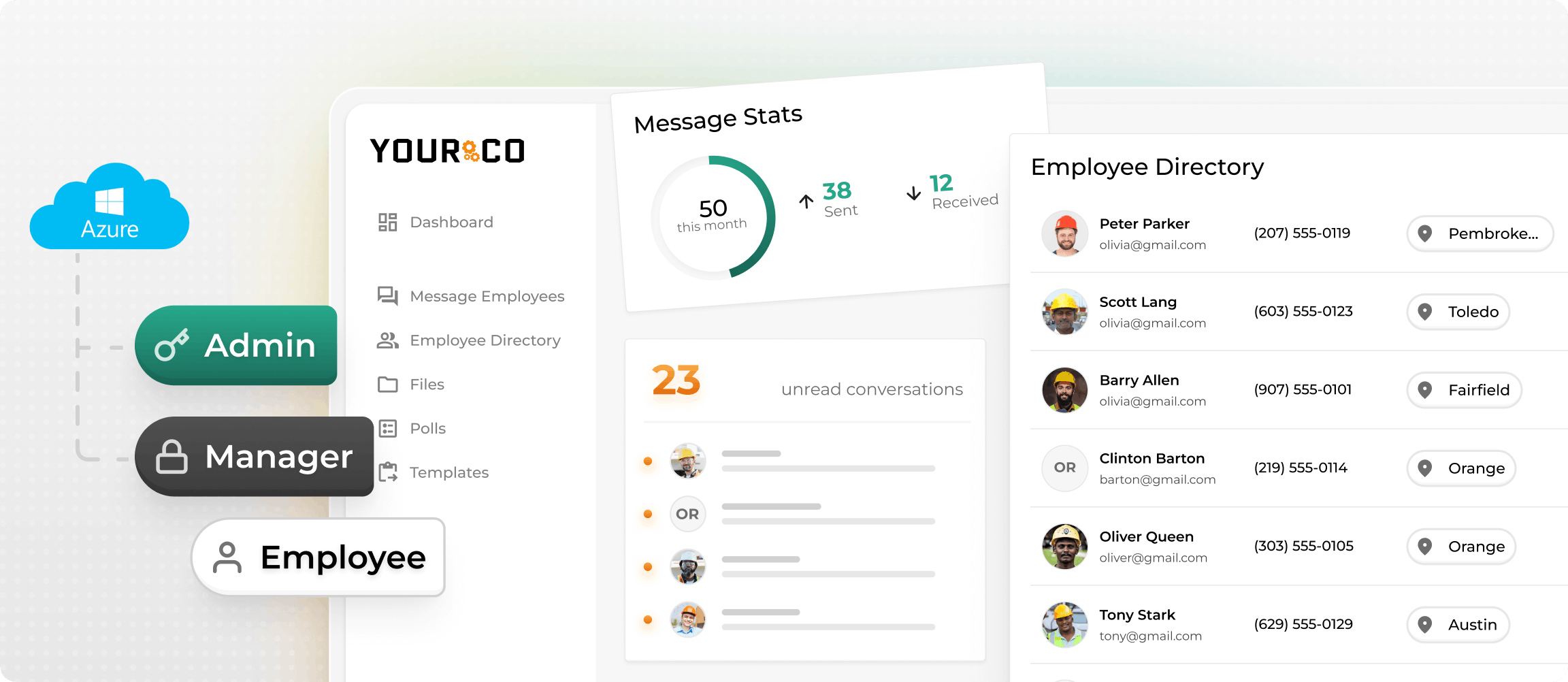
Yourco delivers two-way SMS to any SMS-capable phone, so rollout effort centers on manager adoption and measurement instead of installation support.
- Employees pay nothing and need no app download, login, or Wi-Fi, even on flip phones.
- Two-way replies let employees confirm shifts, answer polls, and report issues.
- Artificial intelligence (AI) powers translation across 190+ languages.
Yourco’s 240+ HRIS and payroll integrations keep employee data current without manual maintenance. As organizations scale, corporate teams can standardize communication policies, permissions, templates, emergency protocols, and company-wide updates while local managers maintain direct, two-way communication with their own teams. Enterprise Bridge provides that shared communication infrastructure across locations.
Frontline Intelligence analyzes what employees are saying across locations and departments as the rollout expands. Leaders can ask it:
- What concerns are employees raising at newly launched locations?
- What themes are appearing most often in employee feedback?
- How do employee responses differ across locations?
- Are the same communication issues appearing across multiple sites?
That tells HQ where the rollout is landing and where managers need reinforcement.
“Yourco has helped me streamline communication between the field and the corporate office. The software is easy to use, and their service department is always available to help when needed.”
— Roxana Abreu, HR Director, Central Civil Construction
After 90 days on Yourco, companies see two-way employee engagement reach 86%.
Try Yourco free today or schedule a demo to see the difference the right workplace communication solution can make

Frequently Asked Questions About Deskless Workforce Communication Platform Rollouts
How Long Does It Take to Roll Out a Frontline Communication Platform?
Results vary by organization and implementation. An initial phase typically covers governance, contact data, and a small pilot before expanding region by region. A full rollout across a large enterprise can take longer, especially when each region has its own HRIS instance or approval workflow.
What Is the Most Important Metric for a Frontline Communication Rollout?
Reachable workforce rate, the share of active employees with a valid mobile number, comes first because every other metric depends on it. After reaching, track delivery, critical-message acknowledgments, two-way replies, and manager adoption by site to identify shifts and locations the rollout isn't yet serving.
Do Frontline Employees Need to Download an App to Use a Communication Platform?
No, not when the platform runs on SMS. SMS-based platforms like Yourco deliver messages to the phone an employee already owns, including basic flip phones, with no app, account, corporate email, or Wi-Fi. Workers reply by text, and managers dispatch messages from a web dashboard.
How Do You Get Site Managers to Use a New Communication Tool?
Tie it to their workload: fewer coverage calls, visible acknowledgments, and a shorter path to filling open shifts. Train them briefly at shift change using a short job aid, then share site-level reply rates weekly and recognize the strongest sites.

