


Most HR and operations teams rely on dashboards, emailed reports, or quarterly surveys to understand what’s happening across their workforce. The problem is that these tools only show what happened after the fact. By the time attendance spikes, safety issues, or morale problems show up in a spreadsheet, the opportunity to act early is already gone. AI-powered workforce analytics fixes this by scanning the data you already collect, like attendance logs, daily communications, surveys, and incident reports, and surfacing patterns as they form.
For busy teams, these early signals change everything. You get a clearer view of which locations are struggling, where confusion is building, and when sentiment starts to dip. Instead of reacting to problems late, you can intervene sooner, support your managers better, and keep operations running smoothly across every site.
Understand What AI-Powered Workforce Analytics Does
AI-powered workforce analytics turns the daily data your team already produces into clear, timely insights you can act on before problems snowball.
At its core, this approach uses machine learning to scan multiple data sources and surface patterns a human analyst might miss for weeks:
- Attendance logs become early warnings of absenteeism spikes
- Message histories reveal engagement levels and mood shifts
- Pulse surveys highlight morale issues before they spread
- Training records expose skill gaps across teams
- Safety reports point to repeating hazards by location or shift
Traditional dashboards only tell you what already happened. AI updates continuously, flags outliers automatically, and suggests next steps tailored to each location. This gives every manager the same clear view of risk and opportunity, with normalized data that lets you compare apples to apples across sites.
This means earlier intervention and smarter resource allocation. The same technology helps predict turnover, balance staffing, improve safety, and back every decision with evidence.
Start With the Workforce Data You Already Have
Begin by gathering the information your organization already collects. You probably have attendance logs, performance reviews, training records, message histories, productivity metrics, safety reports, and survey results scattered across different systems. Each piece tells part of the story about how work happens. When you bring these files together, AI can spot patterns you might miss, like which locations have the most absences or where training gaps appear most often.
Once you know where your data lives, standardize the format so AI can connect information across different sites:
- Use consistent job codes across all locations
- Match location names exactly in every system
- Apply uniform date formats throughout
Teams that clean up their data fields first see results faster because the system spends less time sorting through messy information and more time finding useful insights.
Breaking down silos comes next. Your HR platform, scheduling tools, and safety databases probably don't talk to each other right now. You don't need fancy integrations to start. Simple solutions like weekly data exports or basic connections between systems work fine.
Focus on quality over quantity. Pick two or three reliable data sources first, like attendance and safety incident logs, before adding more. Your data doesn't need to be perfect to provide value, but it needs to be in the system.
Turn Daily Communications Into Real-Time Intelligence
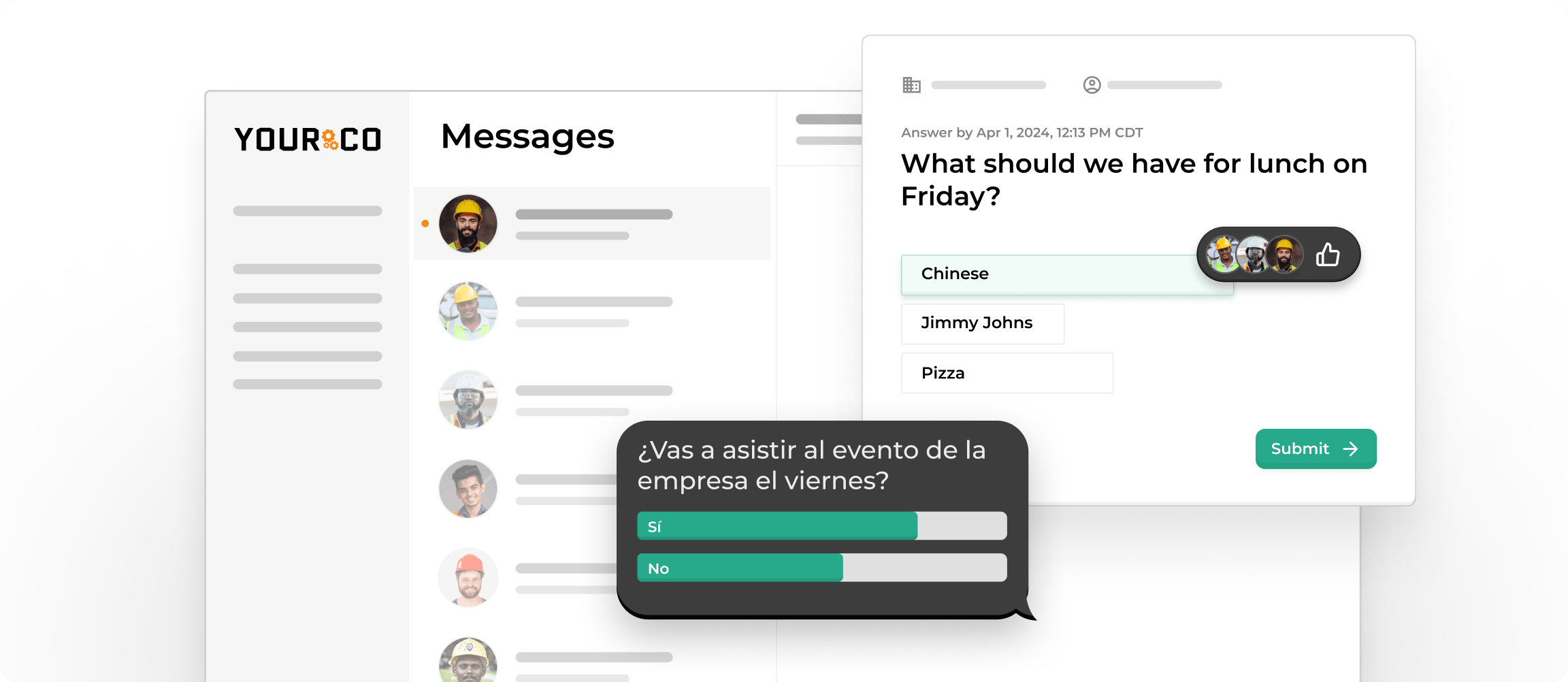
Every text you send to a crew member creates a data point. When thousands of messages flow across shifts and locations each week, AI scans that stream and surfaces patterns that would never appear in weekly reports: who stays engaged, who feels unsafe, and where confusion quietly builds.
The system tracks how much each team communicates, response speed, and whether tone feels upbeat or frustrated. Clustering models group questions into themes, so you see dozens of drivers asking about a new procedure before anyone files a formal complaint.
Yourco's Frontline Intelligence builds on this foundation. Dashboards flag emerging risks by reading message traffic in real time, compare response rates across locations, and chart participation to spot plants or stores going quiet. Sentiment scores appear next to each site, giving managers an instant pulse without digging through transcripts.
These patterns predict problems. A sudden drop in replies often foreshadows an absentee spike. Sharper language can hint at brewing safety worries. A surge of basic policy questions signals unclear instructions. When you catch those signals the same day they surface, you can clarify instructions or schedule a quick check-in before small issues snowball.
Use AI Workforce Analytics to Predict Risk Earlier
When you spot risks days or weeks in advance, you can fix them before they hurt production or morale. Smart analytics makes that possible by scanning everyday data and flagging patterns a human might miss. Here's where it helps most:
- Absenteeism: By tracking shift type, location, and weather patterns, the system highlights teams that may be short-staffed next week so you can adjust schedules or check in with at-risk employees. For a centralized view of these patterns across every facility, explore our guide to multi-location attendance tracking dashboards that consolidate scattered attendance data into one actionable view.
- Safety threats: AI cross-checks incident logs against time of day, crew size, and recent training records. When near-miss reports spike, you can add coaching or equipment before an injury occurs.
- Turnover signals: A drop in response speed or a sudden dip in sentiment often signals upcoming resignations. Real-time dashboards let you start retention conversations before someone walks out.
- Resource strain: If one warehouse logs overtime while another sits idle, analytics highlight the gap so you can rebalance work.
Prediction alone won't help. Pair each alert with a clear action, and you turn early warnings into everyday wins.
Boost Engagement by Acting on AI Insights Quickly
Spot engagement drops the moment they appear, then move fast. Smart analytics reveals who is confused, who feels left out, and which messages spark energy by analyzing daily communications patterns. Tools that scan message volume, response time, and tone reveal early hints of burnout long before they show up in attendance stats.
Inclusive language support keeps every voice in play. Yourco automatically translates messages into 135+ languages and dialects, letting workers reply in their own words. AI then compares participation across language groups to ensure no location is silenced.
Quick interventions pay off. Clarifying a muddled policy within hours can stop a rumor cycle, while a timely check-in with a quiet shift often prevents the resignation you never saw coming.
Strengthen Safety and Incident Response With Analytics
Safety incidents happen fast, but reporting usually doesn't. When employees can text incident details immediately, you capture what matters while it's still fresh. A quick SMS with the time, location, and a photo of the hazard creates a reliable record that feeds directly into your safety analytics. For a complete walkthrough of building this reporting workflow for your field teams, read our guide on how field workers can report safety incidents quickly from any location using tools they already carry.
AI turns that steady stream of incident data into patterns you can act on. By analyzing when, where, and what types of incidents occur, these tools spot trends that manual reviews miss. When you notice patterns like near-misses clustering on certain shifts or at specific locations, you can adjust staffing, improve lighting, or add training before an injury occurs.
Turn Frontline Data Into Actionable Intelligence With Yourco
AI-powered workforce analytics only work when you can see what’s happening on the floor in real time. That’s exactly what Yourco gives you. Because every update, safety alert, question, and check-in flows through simple text messaging, you collect frontline data at the moment it happens. With automatic translation in 135+ languages and dialects, polls and surveys, and easy photo reporting, Yourco brings every voice into the same system, even across large, multi-location teams.
Frontline Intelligence builds on this foundation by turning those daily communications into clear, real-time insights leaders can act on. Instead of waiting for quarterly surveys or secondhand manager reports, AI spots patterns as they form.
Leaders can see sentiment dips, safety concerns, and engagement changes by location, and check which sites are participating in HR initiatives. The system highlights underperforming or misaligned locations and gives you a clean breakdown of message activity, response rates, safety hazards, and morale across every team. You can even ask direct questions like “What’s employee sentiment been like this month?” or “Where are we seeing early signs of turnover risk?” and get answers instantly.
With enterprise-grade security, secure document access, SMS reporting, and integrations that keep everything organized, Yourco gives HR and operations leaders a simple way to act faster and support their teams with reliable, real-time insight across every location.
Try Yourco for free today or schedule a demo and see the difference the right workplace communication solution can make in your company.
Frequently Asked Questions
What is AI-powered workforce analytics?
Smart analytics takes the data you already collect, like attendance records, training completions, and daily communications, and turns it into real-time patterns you can use. Unlike static spreadsheets, these platforms work continuously in the background, spotting trends and flagging risks the moment they appear.
How can AI help you cut turnover?
AI watches for early warning signs that someone might leave, such as sudden drops in engagement scores, long gaps without manager feedback, or changes in communication patterns. Some providers report reductions in turnover when leaders act on real-time AI alerts. With advance notice, you can start retention conversations, adjust workloads, or offer career coaching before someone walks out the door.
What data do you need to get started?
Start with the basics you already have: clock-in logs, training completions, survey responses, and message activity rates. Even imperfect data works as long as it stays consistent across locations. Standard fields help the algorithms compare sites fairly and surface clear insights.
Does this work for multi-location teams?
Absolutely. AI performs better when it can compare sites side by side, highlighting which warehouse, store, or plant shows early signs of absenteeism spikes or safety concerns. Cross-location comparisons reveal patterns you'd miss looking at each site individually.


