Collecting near-miss reports by text requires one dedicated number, a keyword to start a report, and prompts that capture what happened, where, when, who was involved, and a photo. A near miss is a close call that could have caused injury or damage but did not, and the line between a near miss and an incident is often a matter of seconds.
A worker nearly clipped by a forklift at 6 a.m. will not hunt down a paper form before the next pallet arrives. Text runs on the phone already in their pocket. This guide walks through buildings that flow end to end, from claiming the number to closing the loop with the reporter.
TL;DR
- Near misses go unreported because the form lives on a computer frontline workers never touch.
- Reserve one dedicated number for hazard reports, post it where the work happens, and let a keyword start the report.
- Guided prompts collect location, time, what happened, who was involved, equipment, and a photo.
- Keep the whole exchange under 60 seconds, or workers will stop partway through.
- Decide before launch whether reports can be anonymous, and say so in the instructions.
- Route each report to a named safety owner, then text back what changed so the reporter sees the fix.
- SMS-based platforms like Yourco collect reports on any phone, translate them, and archive every thread with a timestamp.
Why Do Near Misses Go Unreported?
Three things stop a report before it starts. The form lives on a computer or portal frontline workers never sign into. Filling it in takes fifteen minutes; nobody has mid-shift. And workers unsure how a report gets used worry it lands on them rather than the hazard.
Research supports the friction point. A 2025 survey of 486 industrial workers in Vietnamese industrial clusters found complex incident reporting and formalistic safety procedures to be the strongest organizational barriers to safety, published in Environmental Health Insights. A 2024 review of near-miss reporting in construction found that close calls are frequently left unreported, and named unawareness of the reporting process as one reason.
Reach is the other half, as 88% of HR leaders say they need a reliable way to reach frontline employees, while only 55% are confident they have one, according to a Yourco-commissioned survey of 150 HR leaders. A reporting channel inherits that problem in reverse. Federal recommended safety practices call for "a simple procedure" workers can use to report close calls without fear of retaliation.
How Do You Collect Near-Miss Reports From Employees via Their Phones?
Give workers one number, a keyword that opens a report, and prompts short enough to finish standing up. The flow runs in five steps:
- A dedicated number, posted where the work happens, receives every hazard report.
- A keyword such as NEARMISS starts the report, or the worker simply describes what happened.
- Guided prompts collect location, time, what happened, who was involved, equipment, and a photo.
- Routing sends the report to the safety owner for that site or department.
- An acknowledgment goes back in the same thread, followed by the fix once it lands.
Set Up the Number Workers Text
Reserve one number for hazards and near misses, separate from announcements and schedule messages, so reports never sit unread in a broadcast thread. Post it in work areas, on toolbox talk handouts, and in the locker room, and repeat it at each safety meeting.
Because the channel is plain SMS messaging, it also covers temporary workers and subcontractors who never appear in the employee directory, and it works on basic flip phones. Form-based near-miss reporting software that assumes every worker has a login reaches fewer people.
Should Near-Miss Reports Be Anonymous?
Decide before launch, then state the answer in the posted instructions. An anonymous path lets a worker omit their name, or hides the number from the receiving team, which matters most where trust is still building. A named report lets the safety contact ask one follow-up question, request a photo, and text back the fix. Many programs run both, leaving identification to the worker.
Capture the Minimum Fields With Guided Prompts
A blank "describe the incident" box produces vague reports, and a five-page form produces none. Guided prompts ask one question at a time and stop at the fields a safety lead needs to act:
- Location: the building, line, level, or site, specific enough to find again.
- Time: when the event happened, which matters when a report arrives late.
- What happened: a factual description of the event and the task underway.
- Who was involved: the worker, the crew, a passing contractor, or nobody.
- Equipment: the machine, vehicle, tool, or material involved.
- Photo: an image of the hazard, sent into the same thread.
A complete report can read "near miss: loose railing on east stair" with a photo attached, which is enough to assign a fix. A brief report that arrives beats a thorough one that never does.
How Do You Keep a Report Under 60 Seconds?
Count the taps before launch. Six prompts answered in a few words, with numbered options where the answer is a choice, land inside a minute on a keypad phone. Free-text fields, witness statements, and severity ratings belong to the safety lead's follow-up, not the intake. Photos stay optional, because a worker holding a pallet jack cannot always take one.
Route Every Report to the Named Safety Owner
Send each report by site or department to a designated safety contact, so none waits for someone to notice it. Put a clock on the human response behind the automatic reply: same-day triage, with a person answering within 24 hours.
Name the owner of each step:
- The safety contact acknowledges the thread and asks any follow-up questions.
- A supervisor walks the location to confirm the hazard.
- The safety lead signs off on the corrective action.
When a report describes a high-potential event, a close call that could have caused serious injury if conditions had shifted slightly, notify the supervisor and safety lead together. Reserve that classification for events where serious harm was credible. If everything escalates, nothing does.
Close the Loop So the Reporter Sees the Fix
Reporting stops when nothing visibly changes. Configure an automatic acknowledgment in the same thread, then send a second message when the work is done: "The press now has a guard. Photo attached."
One loose railing is an event, but five reports from the same stairwell are a system problem, and grouping reports by hazard type and location turns individual texts into a maintenance decision.
Across a multi-site operation, AI analytics layers such as Yourco's Frontline Intelligence scan message traffic for high-risk language, so corporate EHS sees which locations are raising hazards without waiting for a monthly roll-up.
Support Reports in Workers' Preferred Languages
Safety communication usually breaks down because of language. A 2025 CDC facility safety investigation at an Ohio recycling plant found language barriers appeared to worsen the conditions under review because workers did not always receive training in their preferred languages.
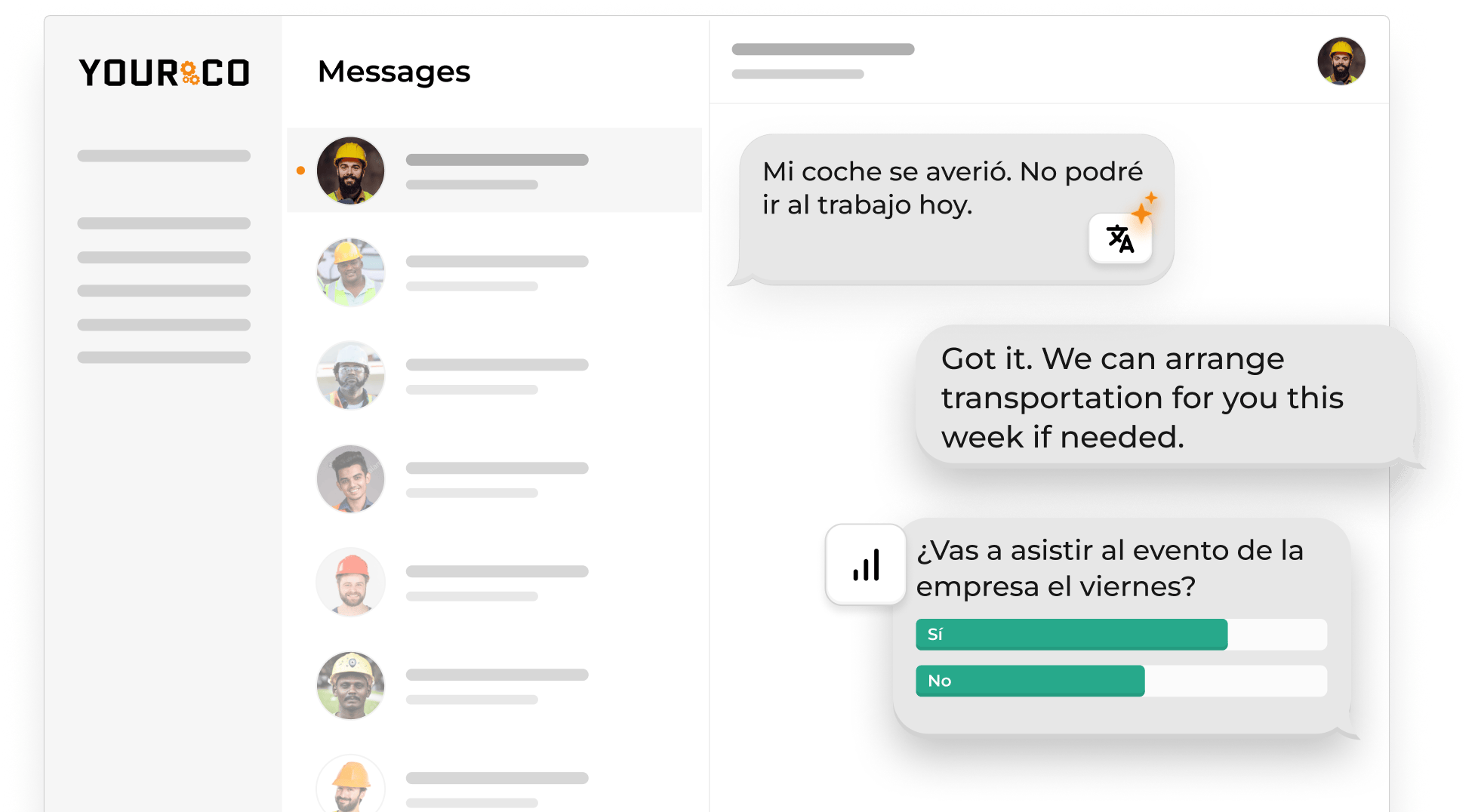
Federal language interpretation guidance emphasizes instruction in a language the employee can understand, and reporting deserves the same treatment. SMS-based platforms like Yourco translate both directions, so a worker texts the hazard in their own language and the reply returns translated. A bilingual safety officer should spot-check equipment names and control instructions, since machine translation can miss trade terminology.
Programs that have already worked through language barriers on the floor can reuse that work.
Keep a Timestamped Record for Safety Audits
An SMS reporting channel timestamps each message on arrival and stores the thread centrally, which removes the transcription step between paper and the safety file. When an inspector asks what the organization knew and when, the thread answers with the date, the site, and the hazard type. Teams already collecting I-9 documents by text use the same pattern.
A central record also changes what the organization can see. A hazard reported at one site is a local issue. The same hazard appearing across multiple locations is an enterprise risk, and only a shared record makes the second one visible. Each level works from the same thread:
- The frontline employee reports the hazard from where it happened.
- The local manager or EHS contact investigates and resolves it.
- Corporate EHS sees the pattern across locations rather than one site at a time.
- Frontline Intelligence surfaces hazards that may recur across sites.
That path is what turns a stack of individual reports into a decision leadership can act on, rather than one repair at a time.
Federal workplace inspection guidance treats an employee report to the employer as evidence of hazard knowledge, which cuts both ways: the record shows the hazard was known and what the organization did next.
This information is for general awareness only. For specific compliance guidance, consult with qualified legal professionals.
What Changes Once Reports Start Flowing
Volume is the point. Dozens of small reports give safety leaders leading-indicator data, hazards logged before anyone is hurt, rather than a lagging count of recordable injuries. Patterns emerge by location, shift, and equipment while they are still cheap to fix.
The second is the record: every report, timestamp, photo, and corrective action sits in one place for recordkeeping and internal review. The third is habit: when reporting takes less time than walking to the break room, it becomes the path of least resistance, not an extra task. All three depend on the same thing: a channel workers already use, and one that answers faster than one they have to learn.
Log Every Near Miss the Moment It Happens With Yourco
Yourco is an SMS-based employee communication platform that carries the reporting and recordkeeping behind a near-miss program. A worker texts a hazard from the floor, and the platform captures, translates, and timestamps it. Core capabilities include:
- SMS to any phone, including basic flip phones, with no app download, no Wi-Fi, and no cost to employees
- Two-way messaging, so safety contacts ask follow-up questions and confirm fixes in the same thread
- AI-powered translation across 135+ languages and dialects, in each worker's preferred language
- Secure photo sharing through PIN-protected links, plus message archiving with timestamps and delivery tracking
Yourco connects to 240+ HRIS and payroll systems, so roster reporting stays current as organizations hire, transfer, and offboard frontline workers.
Enterprise Bridge gives corporate EHS leadership a one-way channel for safety directives across every location, while site managers keep their own two-way threads with their crews.
Frontline Intelligence scans everyday messages for high-risk language and gives leadership site-level visibility into where safety concerns are clustering. Safety and operations leaders can ask it directly: which concerns appear most often, which locations report the most near misses, whether the same hazards recur across sites, and whether one piece of equipment keeps coming up. The answers point corporate EHS to recurring risks that warrant a program change rather than a one-off repair.
"Yourco has helped me streamline communication between the field and the corporate office. The software is easy to use, and their service department is always available to help when needed."
— Roxana Abreu, HR Director, Central Civil Construction
After 90 days on Yourco, companies see two-way employee engagement reach 86%.
Try Yourco for free today or schedule a demo and see the difference the right workplace communication solution can make in your company.

Frequently Asked Questions About Near-Miss Reporting by Text
How do I collect near-miss reports from employees via their phones?
Give workers one dedicated number to text, a keyword that starts a report, and prompts that collect location, time, what happened, who was involved, equipment, and a photo. Route each report to a named safety owner, then reply in the same thread so the worker sees what changed.
Do employers have to report near misses to OSHA?
Many employers keep near-miss logs as internal safety records rather than submissions. The OSHA 300 log generally covers qualifying recordable injuries and illnesses, while some standards, such as Process Safety Management for highly hazardous chemicals, carry their own incident-investigation provisions. For specific guidance, consult qualified legal professionals.
What should a near-miss report include?
A useful report captures where the event happened, when it happened, what happened, who was involved, and which equipment or material played a role, with a photo when possible. Those fields let a safety lead find the hazard, judge how badly it could have gone, and assign the fix.
Can workers report near misses anonymously by text?
Workers can report anonymously when the program is set up for it, either by omitting their name or by hiding the number from the receiving team. Employers should say plainly which option applies before launch, because a worker who is unsure what is visible will usually choose to say nothing at all.
How do employees report a near miss if they do not speak English?
Workers can report in their own language on a channel that translates both directions. SMS-based platforms like Yourco translate the incoming hazard report for the safety contact and translate the reply back; a bilingual safety officer should check equipment names and control instructions where a translation error could change the meaning.
How do you get employees to actually report near misses?
Make it fast, non-punitive, and visibly useful. Post the number where the work happens, keep the prompts to under a minute, acknowledge every report, and text back what changed once the hazard is fixed. Reporting continues when workers can see that a text produced a repair, not a conversation about their judgment.