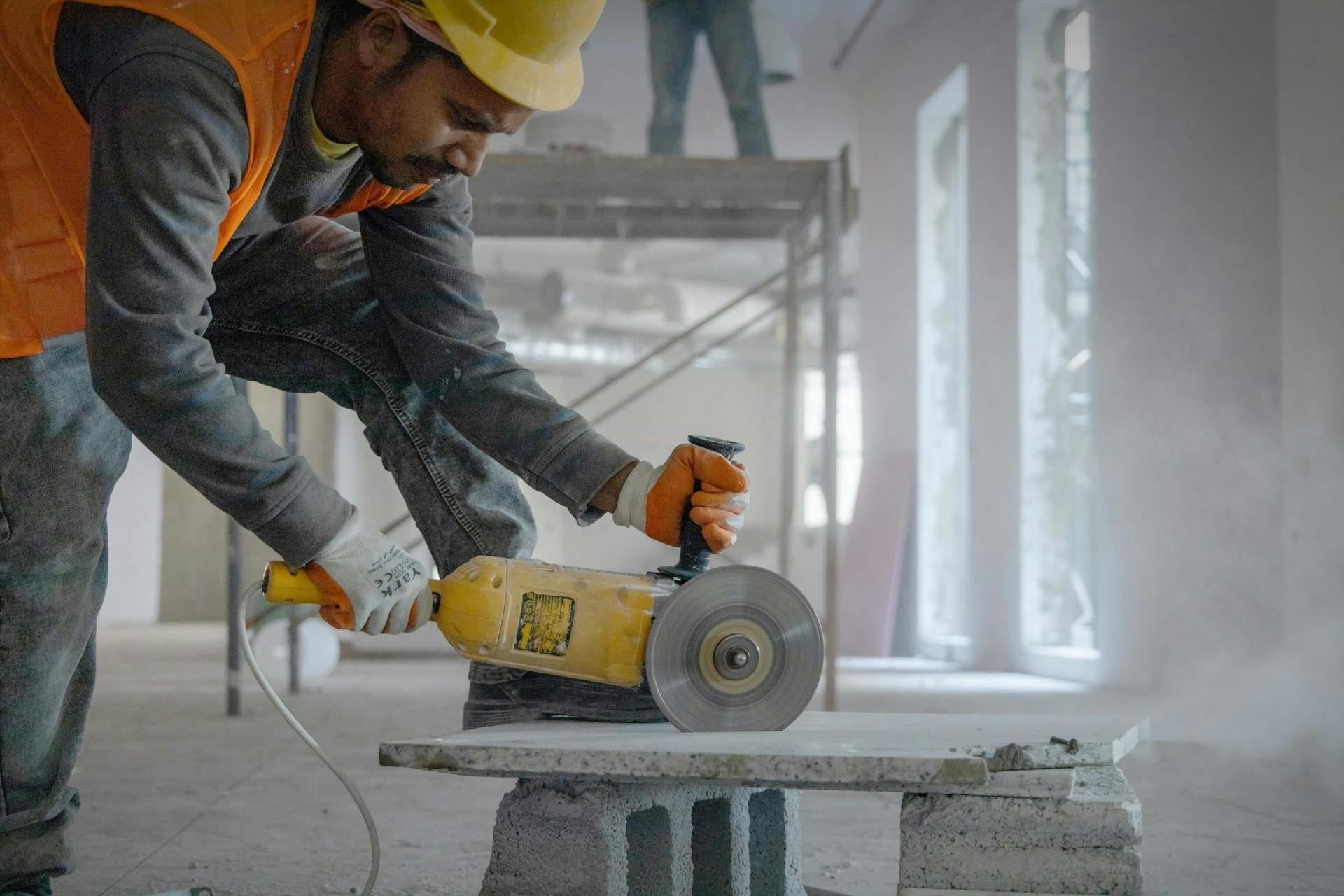
Manufacturing floors are loud and fast when communication breaks down. Your frontline workers don't sit at desks; many do not have company email, and the bulletin board by the break room only works if someone walks past it. Text messaging fixes that gap because it reaches every phone on every shift without requiring an app download, a login, or Wi-Fi. It gives operations and HR teams a direct line to frontline workers who need information in the moment, not later.
TL;DR
- Keep safety alerts under 160 characters so they display in full on any phone, including flip phones
- Use two-way texting to confirm shift changes and create documented proof that frontline workers received critical information
- Target messages by department and severity to prevent alert fatigue from burying important notifications
- Translate every message into each worker's preferred language automatically to eliminate safety gaps in multilingual workforces
- Automate inventory and maintenance alerts through ERP integration so shortfalls trigger SMS before production stops
- SMS-based platforms like Yourco deliver messages to any phone without requiring app downloads, Wi-Fi, or smartphones
Best Practice 1: Keep Safety Alerts Under 160 Characters
When a chemical spill happens in Zone 3, OSHA guidance makes clear that speed matters. Standard SMS messages display in full on any phone, including flip phones, as long as they stay under 160 characters. Longer messages risk being split across multiple texts, which delays comprehension during emergencies.
The best safety alerts follow a simple formula: hazard, action, and confirmation request.
- Hazard first: ⚠️ SAFETY ALERT: Chemical spill Zone 3.
- Next action: All personnel, evacuate immediately.
- Confirmation last: Reply Y to confirm safe location.
That entire message fits within the 160-character limit. It tells frontline workers what happened and what to do, and provides a documented response. OSHA explicitly lists text messages among recommended alert methods, and every reply creates an audit trail showing who received the alert and when.
The urgency is backed by data: 93% of HR leaders surveyed by Yourco believe clear safety communication reduces workplace incidents, and on a manufacturing floor, the gap between a message sent and a message understood is where incidents happen.
Best Practice 2: Confirm Shift Changes With Two-Way Texting
One-way announcements create a dangerous assumption: you sent the message, so everyone must know. Two-way texting eliminates the guesswork by requiring frontline workers to respond. This matters most during shift transitions, where incoming frontline workers need to know about active equipment issues, safety conditions, and production status before they reach the floor. A shift handover study found that communication breakdowns during handoffs contribute to many safety incidents.
Here are templates that work for common shift scenarios:
- Early start: ⏰ SHIFT CHANGE: Report 30 min early (6:30 AM) for rush customer orders. Overtime pre-approved. Reply Y to confirm.
- Quality handoff: 🔍 From Day Shift to Swing: Quality hold on batch #4521. Do not package. Batch #4523 cleared. Reply GOT IT to confirm.
- Open shift: tomorrow, 6 AM–2 PM, Line 4. Reply YES to pick up.
When frontline workers reply, you know exactly who is coming and who needs a follow-up call. Platforms that support shift scheduling also create timestamped logs for every confirmation, which helps with payroll disputes and documentation.
Best Practice 3: Target Messages by Department to Prevent Alert Fatigue
Alert fatigue is a real hazard in manufacturing. When maintenance teams are bombarded with excessive or irrelevant notifications from their monitoring systems, important signals get buried. Frontline workers stop reading everything because too much of it doesn't apply to them. The fix is precision targeting. Build segments that match your org chart so every message reaches only the people who need it.
Use severity tiers to control volume: critical safety threats go to everyone in the affected area, equipment failures go to the relevant department, and routine updates go to supervisors only. Keeping non-emergency messages to a manageable volume helps frontline workers stay responsive when it matters most.
Best Practice 4: Schedule Messages Within Approved Time Windows
The FCC time window generally limits non-emergency calls and texts to the 8 AM to 9 PM window at the recipient's local time. This matters more than it sounds. Multi-location manufacturers operating across time zones can easily send a 7 AM headquarters message that arrives at 4 AM for a West Coast worker, or a 6 PM update that lands at 9:30 PM on the East Coast.
Many employers put timing guardrails in place before launch:
- Routine messages such as policy updates, benefits reminders, and general announcements are often scheduled within the 8 AM to 9 PM local time window
- Platforms are commonly configured to adjust delivery times based on each worker's location
- Off-hours messages are usually reserved for genuine safety emergencies, which are treated differently under federal guidance
- Teams often document emergency messages sent outside standard hours with a clear safety justification
This information is for general awareness only. For specific compliance guidance, consult with qualified legal professionals.
Best Practice 5: Translate Messages Into Every Worker's Preferred Language
Language barriers in safety-critical environments are more than an inconvenience. In manufacturing, communication gaps can prolong downtime, increase safety risk, and delay production.
Language barriers rank among the top six communication challenges for frontline teams, and manual translation of safety messages can take 20 to 30 minutes per update, meaning incoming shifts may start without the update the previous shift received hours earlier.
AI translation solves this at scale. Instead of relying on bilingual supervisors or pre-translated templates for every scenario, leaders compose a single message that each worker automatically receives in their preferred language. Frontline workers can also respond in their native language, with replies translated back for managers.
For critical safety templates, have native speakers verify AI translations before adding them to your emergency library. Universal visual indicators help, too: ⚠️ for danger, ⛔ for stop, ✅ for confirmation, and 🔥 for fire.
Best Practice 6: Automate Inventory and Maintenance Triggers
Production stoppages from undetected inventory shortfalls or deferred maintenance are preventable. When your ERP system knows hydraulic fluid is running low, that information should not sit in a dashboard waiting for someone to check it. SMS alerts close that gap by pushing notifications to the right people the moment thresholds are crossed.
Here are the automated triggers that prevent the most downtime:
- Inventory alert: 🔴 URGENT: Hydraulic fluid at 45 gallons. Production stoppage risk in 8 hours. Reorder status?
- Parts shortage: ⚠️ Bearing assemblies #BRG-5521 running low. Reorder threshold reached.
- Temperature alarm: 🌡️ CRITICAL: Motor M-12 bearing temp 185°F. Immediate shutdown required.
- Vibration anomaly: ⚙️ Pump P-147 vibration elevated above baseline. Inspect within 48 hrs.
Threshold settings help teams separate early warnings from critical alerts. Include asset IDs and part numbers so technicians can act immediately without having to look anything up.
Top SMS Platforms for Manufacturing Teams
Choosing the right platform comes down to whether it was built for factory floors or adapted for them. The platforms below vary significantly in focus: some are purpose-built for frontline workforce communication, others are general business SMS tools, and one operates entirely at the infrastructure layer.
Yourco: Best for frontline workforce communication
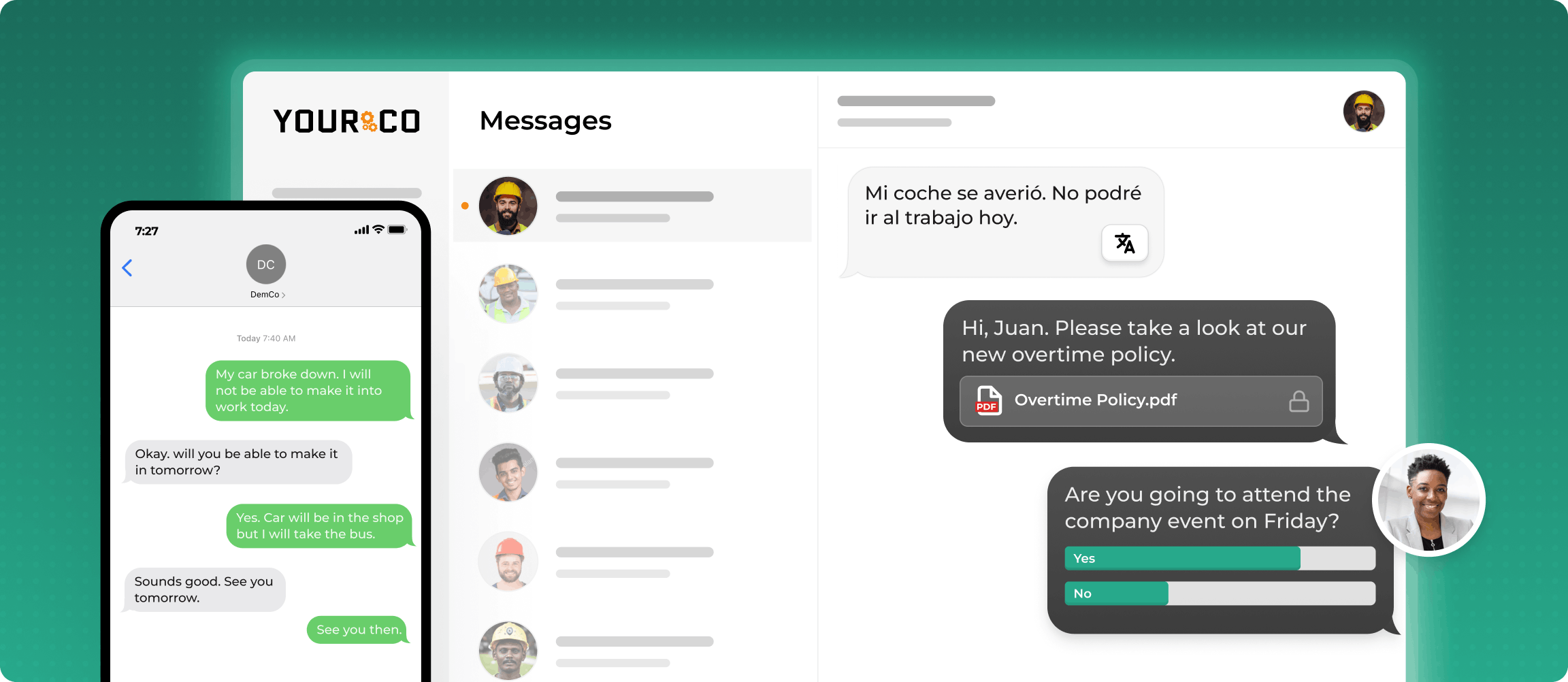
Purpose-built for manufacturing, logistics, and distribution teams. SMS-native by design, with no app download required.
- Two-way messaging with timestamped confirmations for shifts, call-offs, and safety alerts
- AI-powered translation across 135+ languages, so every worker receives messages in their preferred language
- 240+ HRIS and payroll integrations for automatic roster sync across sites
- Frontline Intelligence analytics for visibility into engagement, acknowledgment, and turnover signals
SimpleTexting: Best for SMS marketing and business outreach
A horizontal business texting tool used primarily by marketing, sales, and customer experience teams. Supports campaigns, keyword opt-ins, and basic two-way messaging, but does not offer native HRIS integrations or frontline-specific workflows.
EZTexting: Best for customer engagement campaigns
An SMS marketing and outreach platform designed for lead gen, customer engagement, and general broadcast alerts. Not built around call-off workflows, shift scheduling, or HRIS sync.
TextMagic: Best for simple business messaging
A general business messaging tool supporting two-way chat, contact list management, and basic notifications. Useful for simple staff or customer messaging, but lacks deep HRIS integration, multi-site shift workflows, and frontline analytics.
Twilio: Best for engineering teams building custom SMS workflows
Programmable communications infrastructure for building custom SMS flows from scratch. Highly flexible, but requires significant internal development to approximate a usable frontline communication tool. Competes at the infrastructure layer, not as an out-of-the-box HR or operations platform.
Run Through a Quick Compliance Checklist Before Launch
Many employers review a few common practices before launching an SMS program:
- Written consent at onboarding: Many teams collect clear, documented authorization before adding employees to workplace messaging, alongside other standard HR paperwork
- Opt-out mechanism: A simple "Reply STOP to unsubscribe" option is commonly included so preferences can be tracked and honored
- Time zone awareness: Delivery windows are often based on each worker's local time, with off-hours exceptions reserved for documented emergencies
- Message archiving: Timestamped records of every message sent can support employee alerts and audit readiness
- Frequency limits: Many teams cap non-emergency messages at two to three per shift to preserve attention for critical alerts
These basic guardrails help teams launch faster while keeping communication organized and defensible.
Reach Every Shift and Every Language With Yourco
All six best practices work better when your messaging platform can reliably reach the full workforce. Yourco is built for manufacturing communication and supports safety alerts, shift coordination, and multilingual updates without requiring smartphones, apps, or Wi-Fi.
Yourco's core capabilities map directly to what factory floors need:
- SMS to any phone: Every message arrives as a standard text, including on flip phones and basic devices, at no cost to employees
- Two-way messaging: Frontline workers confirm shifts, report absences through the text-off line, and respond to safety alerts with timestamped documentation
- AI-powered translation: Messages are automatically translated across 135+ languages and dialects, so every worker receives critical information in their preferred language
Yourco connects to 240+ HRIS and payroll systems, automatically keeping your employee roster up to date.
Corporate leadership can also send one-way announcements to every frontline location simultaneously through Enterprise Bridge. This keeps all teams aligned on company-wide policies and updates without requiring or expecting employee responses.
Frontline Intelligence gives operations and HR teams centralized visibility into safety alert acknowledgment speeds, shift confirmation patterns, engagement trends, and early signs of turnover risk across all locations.
"Yourco has been huge for us, especially during the weather crisis. It is such a fast and easy way to communicate with everyone. We were able to keep our employees safe and make sure everyone was notified of updates in a timely manner. It could not have been built any easier for the end user."
— Scott Pfantz, Operations Manager, Nufarm
After 90 days with Yourco, two-way employee engagement increased to 86%.
For the research, explore Yourco's Closing the Comms Gap study of 150 HR leaders.
Try Yourco for free today or schedule a demo to see it in action.
Frequently Asked Questions about Text Messages for Manufacturing
What if my factory workers don't have smartphones?
SMS-based platforms like Yourco work on any mobile phone, including flip phones and basic devices. Messages arrive as standard texts and do not require app downloads, internet access, or employee setup.
How do I send safety alerts to only the affected department?
Use workforce segments based on department, shift, location, or role. That way, only the frontline workers who need the update receive it.
How quickly do workers actually respond to text messages?
Text messages usually get faster attention than email or posted notices. That makes them well-suited for time-sensitive updates such as schedule changes, safety alerts, and call-off coordination.
Can I send the same message in multiple languages at once?
Yes, platforms with AI-powered translation can send the same message in each worker's preferred language and translate replies back for managers.
How do I connect an SMS platform to my existing HR or payroll system?
Look for a platform that clearly lists its HRIS and payroll integrations and explains how data sync works. Yourco, for example, connects to over 240 systems, so employee data stays up to date automatically.