The best way to notify workers about a weather-related closure is to send a text to every affected worker before the shift, with the closure status on the first line and a required reply confirming receipt. Text reaches any handset without a company inbox, an app, or Wi-Fi, which matters because most frontline employees have no corporate email. Voice calls, a status page, and non-cellular fallbacks sit behind the text rather than replacing it. For the operations lead making the call at 4 a.m., the hardest people to reach are the ones standing at a locked gate.
TL;DR
- Text is the primary channel for closure notifications, with voice and visual alerts as backups.
- Send the first alert two to four hours before the affected shift.
- Name one decision owner and one sender before the season starts.
- Lead the message with a status word, then pay implications and the next update time.
- Require a reply, then follow up with any worker who doesn't confirm.
- SMS-based tools such as Yourco reach any phone, confirm delivery, and archive every message.
What Does the Full Weather Closure Notification Protocol Look Like?
The best way to notify workers about weather closures is the sequence below, which carries a closure from decision to record in eight steps.
- One named owner decides the closure and names who sends it.
- Send the SMS alert two to four hours before the shift.
- Lead the message with a status word, pay implications, and the next update time.
- Target by site, shift, and role rather than company-wide.
- Require a confirmation reply and chase non-responders.
- Escalate to voice, radio, and roll calls when networks fail.
- Check in directly with commuting crews and overnight shifts.
- Archive every message, recipient, and timestamp.
Step 1: Who Decides on a Closure, and Who Sends the Message?
One named person decides, and one named role sends. Closures stall when three managers each wait for another, so name a decision owner per site, a backup for nights and weekends, and the threshold that triggers the call.
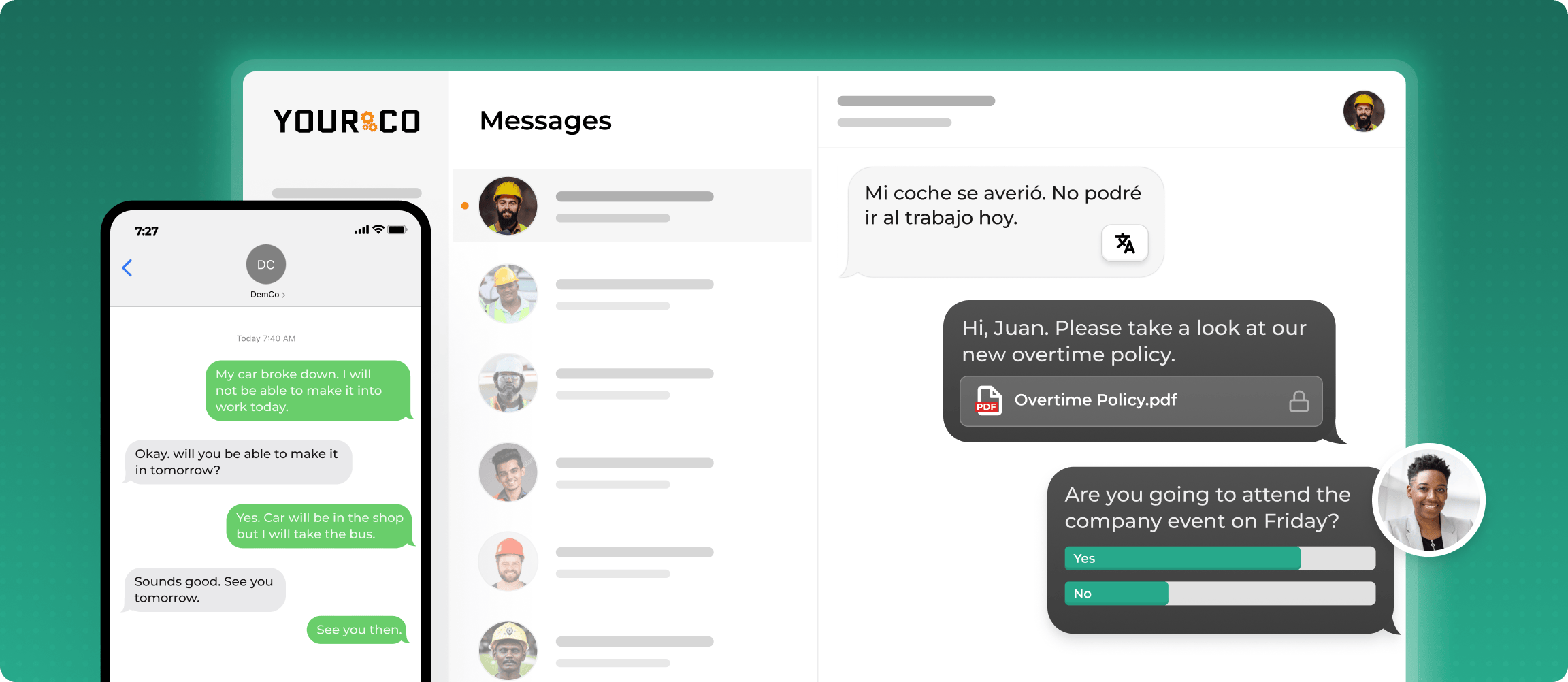
Sending is a separate question. A notice from a supervisor's personal phone leaves the company's only record on a device it does not own and cannot search. A company-owned channel dispatched from a web dashboard keeps that record with the company, and send permissions should be settled before the season.
Step 2: How Early Should Weather Closure Alerts Go Out, and Through Which Channels?
Send the first alert two to four hours before the affected shift, then confirm or revise closer to the start time. On-site alarm procedures can follow the Emergency Action Plan standard, which covers on-site emergencies rather than pre-shift travel.
Text carries the alert because it lands on any handset without a company inbox. 88% of HR leaders say they need a reliable way to reach frontline employees, while only 55% are confident they have one, according to a Yourco-commissioned survey of 150 HR leaders. The channels differ on the two things that matter at 4 a.m.: confirmed receipt and survivability in an outage.
Leading with email is the most common failure, because it puts the notice in a channel most of the workforce cannot reach.
Step 3: What Should a Pre-Approved Weather Closure Template Say?
Six elements belong in every closure message, and a template keeps all six intact at 4 a.m.:
- Status word first: CLOSED, DELAYED, or OPEN, in capitals.
- Site and shift affected, named the way workers name them.
- Date, and for delayed starts the new report time.
- Pay implications: unpaid, paid, or covered by paid time off (PTO).
- Time of the next update.
- Reply instructions and a number for questions.
A workable send reads: "WEATHER CLOSURE: Plant B closed today, 1/15, winter storm. Do NOT report. Hourly: unpaid or PTO option. Next update by 6 PM. Questions: call [number]. Reply SAFE to confirm."
Approving templates with legal and HR before the season removes mid-storm drafting delays, and you can build translations then, too.
Step 4: How Do You Send Location-Specific Closure Alerts Across Multiple Sites?
Segment before sending. A blast that closes one plant while another runs normally trains workers to ignore the next alert. Build lists per site, then subdivide by department and shift. When two sites need different instructions, write both statuses into one line: "WEATHER ALERT: Site A CLOSED; Site B OPEN with normal operations." Segmented employee alert systems make that routine.
How should partial closures and delayed starts be announced?
Partial closures need more detail than full ones, because workers assume on a bad-weather morning that everybody stays home. Name which departments, lines, or routes are running, which are not, and who reports. For a delayed start, give the new report time and state whether the unworked hours are paid. For an early release, send the release time and expected return status together.
Step 5: How Do You Confirm Every Worker Actually Received the Closure Alert?
Ask for a reply, then track who has not sent one. Delivery data shows the message reached a handset; a reply shows a person read it. The loop runs in three stages:
- Automated tracking timestamps delivery and flags invalid numbers.
- Workers reply with a single keyword such as SAFE, RECEIVED, or NEED HELP.
- Anyone unconfirmed within an hour gets an automated voice call, and continued silence escalates to the supervisor.
Train workers on the keywords during onboarding. When several sites are affected at once, AI analytics layers such as Yourco's Frontline Intelligence show which locations replied slowest, so leadership can direct follow-up mid-event.

Step 6: What's the Backup Plan When Cell Service or Power Goes Down?
Plan for the combined loss of power and cellular service, and give one person per site the escalation call when both fail. Federal Communications Commission (FCC) reporting shows commercial power failure drives most cell site outages in severe winter storms.
Layer the fallbacks from most to least dependent on infrastructure. The FCC advises that texts often go through during congestion when voice calls do not, so SMS stays primary.
- Place NOAA Weather Radio receivers at each site, programmed with the county's SAME code, since battery power and non-cellular frequencies keep them working when networks do not.
- Treat Wireless Emergency Alerts as background only: authorities send them, delivery cannot be confirmed, and workers can opt out.
- Keep power banks, a landline phone tree, printed wallet cards, and on-site roll calls as the last tier.
No single fallback guarantees delivery, which is why the named escalation owner matters more than any one channel. Facilities that have mapped the disasters a site should plan for can reuse that work.
Step 7: Who Needs a Direct Safety Check-In After the Closure Message Goes Out?
Workers already en route and crews finishing an overnight shift need a call, not a broadcast, because they are most likely to reach a closed site. Essential on-site staff need repeat checks under existing safety communication protocols until conditions stabilize, and everyone else gets a text asking whether they are safe.
Step 8: How Do You Document Closure Communications So They Hold Up in a Dispute?
Treat the closure notice as a payroll-adjacent record. No federal regulation specifically governs closure documentation, though these events may touch existing FLSA recordkeeping guidelines, under which many employers keep payroll records for at least three years. Retain:
- Every message, timestamp, recipient list, delivery record, and reply.
- Payroll records showing who was paid and which leave options HR offered.
- The conditions, closure time, and person who made the decision.
- Records showing workers were trained on emergency procedures.
A centralized SMS archive puts message text, recipients, timestamps, and replies in one timeline, so HR can reconstruct what a specific worker was told. Before the season, test the system, approve templates, segment lists, and run emergency procedure training with a practice send, then review the rules on texting staff to avoid consent questions mid-storm.
How Does the Timing of a Closure Notification Affect Reporting-Time Pay?
Under the Fair Labor Standards Act (FLSA), many employers pay non-exempt employees only for hours actually worked when a natural disaster prevents work. Reporting-time, or show-up, pay rules vary by jurisdiction and may apply when a worker arrives for a canceled shift, which makes send time part of the pay question and preserved timestamps part of the answer.
This information is for general awareness only. For specific compliance guidance, consult with qualified legal professionals.
Reach Every Frontline Worker Instantly With Yourco
Weather closures come down to speed, reach, and a record. Yourco is an SMS-based employee notification platform built for workforces with no company inbox. Core capabilities include:
- SMS to any phone, including basic flip phones, with no app download, no Wi-Fi, and no cost to employees
- Two-way messaging, so workers confirm with a one-word reply and supervisors see who has not answered
- AI-powered translation across 135+ languages and dialects, in each worker's preferred language
- Segmentation by site, shift, and role, plus scheduled sends and a web dashboard managers use instead of a personal phone
Yourco connects to 240+ HRIS and payroll systems, keeping contact lists current across every location without manual maintenance.
Enterprise Bridge gives corporate leadership a one-way channel for company-wide storm updates across all sites, while local managers keep two-way conversations with their crews.
Frontline Intelligence gives leadership centralized visibility into how each location handled the event, comparing response times site by site and showing which crews left alerts unconfirmed.
"Yourco has been huge for us, especially during the weather crisis. We were able to keep our employees safe and make sure everyone was notified of updates in a timely manner."
— Scott Pfantz, Operations Manager, Nufarm - Alsip
After 90 days on Yourco, companies see two-way employee engagement reach 86%.
Try Yourco for free today or schedule a demo and see the difference the right workplace communication solution can make in your company.
Frequently Asked Questions About Notifying Workers About Weather-Related Closures
What's the best way to notify workers about weather-related closures?
Send a text to every affected worker before the shift, with the closure status in the first line, and require a reply confirming receipt. Layer voice calls, a status page, and non-cellular fallbacks behind the text rather than in place of it.
How far in advance should I notify workers about a weather-related closure?
Send the first alert two to four hours before the shift so workers can adjust their commute, then confirm or revise closer to the start time. Early notice also matters where reporting-time pay rules apply, since a worker who arrives for a canceled shift can trigger pay.
How do you announce a delayed start rather than a full closure?
Name the new report time, say which departments or routes are affected, and state whether the unworked hours are paid. Partial closures need more detail than full ones, because workers otherwise assume the whole site is shut and stay home when the line is running.
What if workers don't have smartphones?
SMS-based platforms like Yourco work on any mobile phone, including basic flip phones, with no internet access or app download required. For workers with no phone at all, pair the text with visual postings at the gate, a buddy system, and a printed contact roster held at each site.
Do I have to pay hourly employees when the workplace closes due to weather?
Under the FLSA, many employers pay non-exempt employees only for hours actually worked, while exempt employees typically receive full wages for a partial-week closure. Reporting-time rules vary by jurisdiction, and some states expect show-up pay when a worker arrives for a canceled shift, so consult qualified legal professionals.
How often should I send updates during an extended weather event?
Send an update at every time promised in the previous message, even when nothing has changed, so silence never reads as permission to return. Each update should carry a timestamp and the time of the next one, which stops workers calling supervisors for news.