
When it's time to evacuate, an SMS-based mass notification system delivers the same instruction to every employee within seconds, straight to the phone's native messaging inbox on any device, including a basic flip phone, as long as the alert was written and approved in advance. About 95% of text messages are read within 90 seconds of delivery, making SMS one of the most reliable channels for reaching frontline workers in an emergency, since it doesn't depend on an open inbox, an installed app, or a live data connection the way email and app push do.
During a night shift, an alarm sounds while a crew works the floor, contractors stand in the yard, and a forklift team on the far dock cannot hear it over the machinery. Every person needs the same instruction at the same moment, and an unopened inbox or an uninstalled app can leave part of the workforce guessing.
TL;DR
- Set an internal goal of initiating an SMS alert immediately after the evacuation decision; SMS requires no app, data plan, Wi-Fi, or notification permission.
- Follow federal alert guidance and pre-write every message in plain text as a single SMS segment, with the California alert guidelines placing the action first.
- Sync alert lists to the company's human resources system so they include new hires, transfers, and contractors but exclude leavers.
- Restrict workforce-wide alert permission to a small named group with a backup, and require second-person message review before sending.
- SMS-based platforms like Yourco send the alert to any phone, translate automatically, timestamp every step, and collect the "Reply SAFE" replies that confirm human action through standard SMS.
Set an Emergency Mass Notification System Alert Target
Set an internal target to initiate the alert to every phone within 60 seconds of the decision to evacuate, with the message readable at a glance. The National Transportation Safety Board (NTSB) final investigation into the 2024 Francis Scott Key Bridge collapse found that "Also contributing to the loss of life was the lack of effective and immediate communications to notify the highway workers to evacuate the bridge."
SMS can supplement required audible and visual alarms. Occupational Safety and Health Administration (OSHA) alarm guidance and the 2025 fire alarm code provide context for coordinating these channels; applicability varies by workplace and jurisdiction.
Choose SMS over Email and App Push
Email and push both depend on something the worker may not have:
- A company inbox they actually check
- An installed app
- A notification permission left on
- Data coverage on the floor
Push notifications leave phones unreachable wherever the app was never installed, its notifications were silenced, or the floor sits in a dead spot inside steel-framed walls. SMS depends only on basic cellular service, and a text lands in the phone's native messaging inbox, on a basic flip phone as readily as on a smartphone.
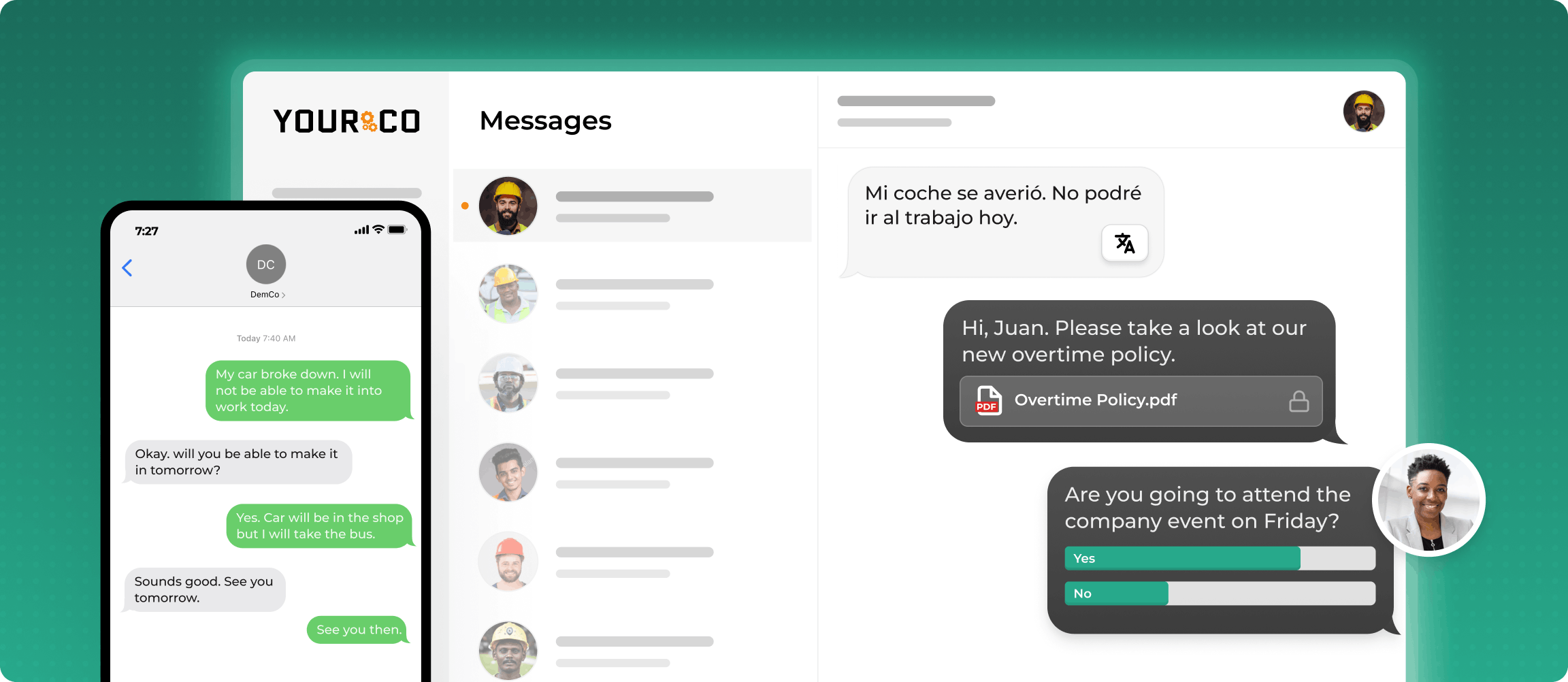
That reach makes SMS the practical channel for a manufacturing alert system built for frontline shifts, and the next step is writing messages that work within it.
Write Clear Evacuation Texts
Put the action before the hazard, name the sender, and keep the whole message under 160 characters. The California Governor's Office of Emergency Services (Cal OES) May 2024 alert guidelines specify that for messages of 90-140 characters, the order is source, protective action, hazard, location, expiration, because "The order of message content has an impact on alert recipient response time."
Replace the bracketed fields before saving; the SMS encoding standard treats brackets as extended characters, each requiring two character positions in Global System for Mobile Communications 7-bit encoding (GSM-7).
- EVACUATION
[COMPANY] SAFETY: EVACUATE NOW. Fire in [AREA]. Use nearest exit. Go to [ASSEMBLY POINT]. Reply SAFE within 5 min. Do not re-enter.
- SHELTER IN PLACE
[COMPANY] SAFETY: SHELTER IN PLACE NOW. Ammonia release in [AREA]. Go indoors. Shut doors/windows. Stay inside. Reply SAFE within 5 min. Wait for all-clear text.
- HEADCOUNT FOLLOW-UP (2 minutes after alert 1)
[COMPANY] SAFETY: If you have not replied SAFE, reply now with your name and location. Supervisors: text your headcount to [NUMBER].
- STATUS UPDATE (every 10 to 15 minutes)
[COMPANY] SAFETY UPDATE [TIME]: Fire department on site. Stay at assembly points. Do not re-enter. Next update in 15 minutes.
- ALL-CLEAR
[COMPANY] SAFETY: At [TIME], [NAME, ROLE] issued the ALL CLEAR. Return via main entrance. Questions: [NUMBER].
Templates 1-5 sit close to the single-segment ceiling, so run the filled-in version through a character counter and verify it against the SMS technical standard. Write in plain text only: Unicode encoding can reduce the single-segment limit to 70 characters, while longer messages split into segments under the concatenation standard. For Spanish versions, keep to 70 characters or accept two segments.
Source identification appeared in just 34.5% of messages and timing information in about 39%, according to a 2024 University at Albany analysis of wireless emergency alerts. Both appear in every template here. Longer follow-up notices can follow the format in these evacuation announcement templates.
Pre-Build Emergency Mass Notification System Alerts
Approve the templates, recipient lists, and sender roles for an emergency mass notification system during a calm week, then drill them. Federal Emergency Management Agency (FEMA) Integrated Public Alert and Warning System (IPAWS) Tip 44 says: "To avoid errors, pre-script messages with as much information as possible before an event."
Put all of this in place before the alarm sounds:
- Approved templates: Keep the five templates above in the alerting platform, with a change log showing who edited and approved each version.
- Self-updating recipient lists: Sync recipients from the human resources information system (HRIS) so a new hire joins the list on day one and a leaver comes off it the same day. Annual turnover still ran at 3.3% industry-wide in 2025, according to Bureau of Labor Statistics (BLS) data, and can leave a manually maintained list inaccurate within weeks. Include contractors and temporary staff; federal OSHA worksite guidance asks host employers to pass emergency procedures to contractors and staffing agency workers.
- Confirmed provider throughput: Message volume and authentication practices can affect carrier filtering, so confirm sender registration and throughput against messaging security practices.
- A named sender with a backup: Limit workforce-wide alert permission to the emergency coordinator and one or two backups, per OSHA sender guidance, and keep emergency-alert permissions separate from routine notices. Hawaii's 2018 false missile alert took 38 minutes to correct; the Federal Communications Commission (FCC) false-alert investigation attributed the incident to human error and inadequate safeguards.
This single-alert sequence assumes one instruction for one site; locations with multiple buildings that need different instructions by zone require the routing logic covered in the companion guide, How to Send Evacuation Instructions Across Multiple Buildings. Once the system is built, the next question is whether it worked.

Confirm Emergency Mass Notification System Receipt
In an emergency mass notification system, a delivery report confirms the network processed the message, while a SAFE reply confirms a worker responded.
The SMS technical standard defines these delivery-report mechanisms at the protocol level. SMS-based platforms like Yourco apply that distinction operationally, displaying workforce employee alerts as SAFE replies against the recipient list in real time and flagging numbers that failed to deliver.
Cross the SAFE list against the physical headcount: OSHA Publication 3088 suggests one evacuation warden per 20 employees, with each warden taking an assembly-point head count and passing missing names and last known locations to the official in charge.
Run the Full Alert Sequence
The clock below gives an emergency mass notification system a preplanned internal sequence, so nobody decides timings under stress.
Only the fire department, the incident commander, or the emergency coordinator after emergency services stand down should issue the all-clear; a silenced or reset alarm does not signal re-entry. Written mandatory evacuation policies should document that chain of authority.
Accountability timing draws on OSHA's Emergency Action Plan standard, 29 CFR 1910.38.
Slow-onset disaster planning uses a longer clock, while a hurricane evacuation timeline stretches status updates over hours.
Document Every Emergency Alert
For each emergency mass notification system alert, show the message content, sender, recipients, time, and confirmations; those records support FEMA after-action reviews.
An audit-ready incident record contains:
- Timestamp of initiation, delivery, and any failure for each message
- The sender's identity and the template version the sender chose
- The full recipient list by name and location, including contractors and visitors, with per-recipient delivery status and SAFE reply
- Headcount results, names of anyone missing, and drill records with evacuation time and corrective actions
Store these records together so reviewers can reconstruct one incident from a single file.
This information is for general awareness only. For specific compliance guidance, consult with qualified legal professionals.
Reach Every Worker in Seconds with Yourco
Yourco is an SMS-based employee communication platform that supports an emergency mass-notification workflow. An authorized sender pushes a pre-approved evacuation alert to the entire frontline workforce in one action, collects SAFE replies as they arrive, and logs a timestamp for every step.
- SMS to any phone, with no app download, no Wi-Fi, and no data plan; it works on basic flip phones
- Workers can reply SAFE through two-way messaging, and supervisors can text their headcounts back
- Yourco uses artificial intelligence (AI) to translate messages across 135+ languages and dialects, so each worker reads the alert in their preferred language without a separate template per language
Yourco's 240+ HRIS and payroll integrations keep the alert list synced to the company's system of record, so new hires and leavers update without manual list maintenance.
Enterprise Bridge supports one-way broadcasts from corporate leadership to the entire frontline. These broadcasts keep every location aligned without requiring responses.
Operations and human resources (HR) leadership get centralized visibility into safety communication across all locations through Frontline Intelligence. It tracks acknowledgment speed by site, helps leadership identify response patterns, and surfaces concerns raised in employee replies so teams can make informed follow-up decisions. A leader can ask which site took the longest to reach full SAFE confirmation on the last drill, how many workers missed the five-minute reply window, and which locations show a repeated pattern of slow acknowledgment across alerts.
"Yourco has been huge for us, especially during the weather crisis. We were able to keep our employees safe and make sure everyone was notified of updates in a timely manner."
— Scott Pfantz, Operations Manager, Nufarm - Alsip
After 90 days with Yourco, two-way employee engagement increased to 86%.
Try Yourco for free today or schedule a demo and see the difference the right workplace communication solution can make in your company.

Frequently Asked Questions About Emergency Mass Notification Systems
How Do I Send Evacuation Alerts to All Employees Instantly?
Use an emergency mass notification system with a pre-written SMS alert, a workforce list kept current by the human resources system, and a named sender with permission to send it. SMS-based platforms like Yourco deliver alerts to every phone, including basic flip phones, and collect SAFE replies that identify which workers responded.
How Long Should an Evacuation Text Message Be?
Keep the text short enough to arrive as a single SMS segment. Put the sender first, followed by the action, hazard, location, and any deadline. Avoid emoji, curly quotes, long dashes, and accented letters because they can switch the message to Unicode and sharply reduce the single-segment character limit.
Who Can Send a Workforce-Wide Evacuation Alert?
Authorize the designated emergency coordinator and one or two named backups, and keep emergency-alert permissions separate from routine notices. A second person should confirm the message before sending, while pre-approved templates keep that review fast. Record the authority chain, including who may issue the all-clear, in the written emergency plan.
How Do I Know Who Received the Evacuation Alert?
Ask each worker to reply. Delivery status indicates that the network or handset processed the message. A two-way "Reply SAFE" instruction produces a live list of confirmed workers to cross-check against the assembly-point headcount.