When your workforce doesn't sit at desks, traditional analytics tools miss the full picture. Employee disengagement alone adds substantial payroll costs, and poor frontline visibility creates blind spots that lead to missed shifts, safety incidents, and preventable turnover. The right workforce analytics tools help you track attendance, spot absenteeism trends, and understand shift productivity without requiring your team to download apps or check email. This guide profiles nine platforms built for the realities of frontline work.
TL;DR
- Most workforce analytics platforms require app downloads or desktop access, leaving non-desk workers entirely out of the data picture.
- SMS-based tools such as Yourco reach every employee on phones they already carry, including basic flip phones, with no training or internet required.
- AI-powered translation enables multilingual teams to fully participate in attendance tracking, surveys, and sentiment analysis.
- GPS geofencing, facial recognition, and biometric verification address time fraud and location verification for distributed teams.
- Pricing ranges from free to $50+/month depending on features, workforce size, and integration complexity.
Compare the Best Workforce Analytics Tools at a Glance
Each platform below addresses a different slice of frontline workforce analytics, from SMS-based attendance capture and GPS verification to compliance management and labor cost forecasting. Use this table to narrow your shortlist based on your workforce composition, mobile access realities, and biggest visibility gaps.
1. Yourco: Best Workforce Analytics Tool for Frontline Shift Insights
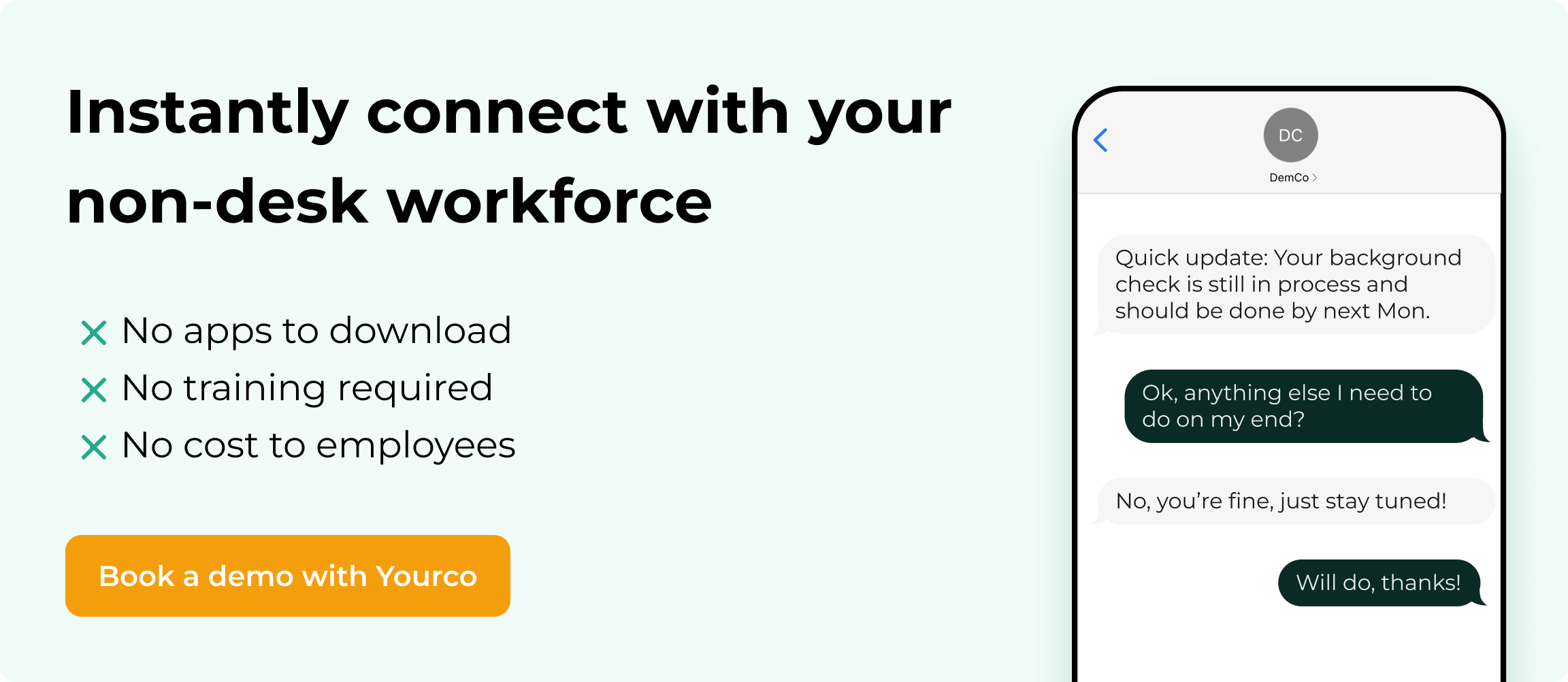
Yourco takes a different approach to workforce analytics by meeting employees where they already are: their text messages. Instead of requiring app downloads, smartphones, or internet access, Yourco delivers attendance tracking, pulse surveys, and sentiment analysis through simple SMS messages that work on any phone, including basic flip phones.
The platform provides real-time visibility across all locations and AI-powered translation in 135+ languages, ensuring multilingual teams fully participate in every interaction. Two-way SMS messaging handles everything from absence reporting and shift communication to structured feedback collection through built-in polls and surveys. Every conversation is automatically time-stamped and archived for compliance documentation.
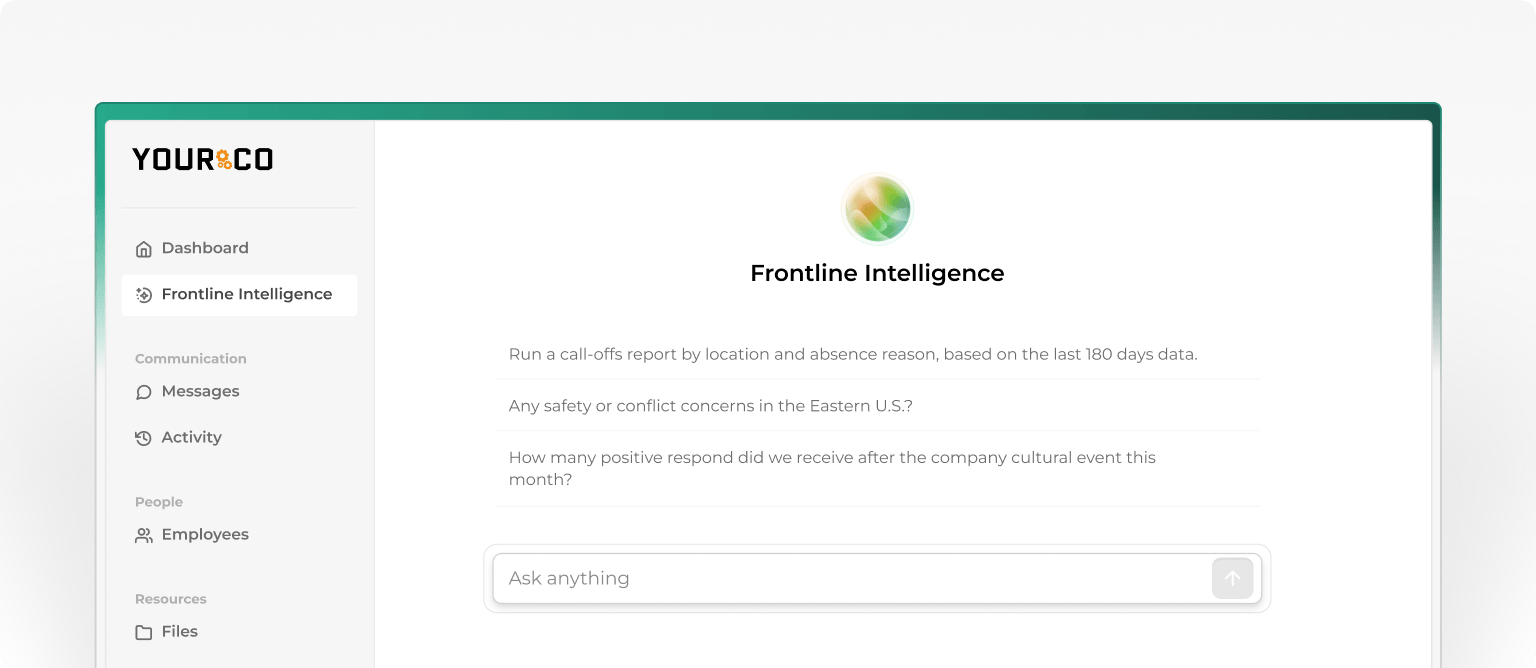
Yourco's AI-Powered Frontline Intelligence transforms daily SMS interactions into actionable workforce insights. The system analyzes response rates, message activity, and communication patterns to surface trends like disengagement signals, absenteeism hotspots, and safety concerns before they escalate. Leaders can prompt the system with questions such as "Which locations have the highest call-off rates this month?" and receive answers based on actual frontline data. With 240+ integrations, Yourco syncs with your existing HRIS and payroll systems to keep analytics connected across your entire workforce infrastructure. After 90 days of using Yourco, two-way employee engagement increased to 86%.
For corporate and headquarters teams, Yourco provides centralized dashboards with real-time visibility across all locations, giving leadership visibility into frontline communication, attendance patterns, and engagement trends across distributed operations.
Best for: Organizations with diverse, multilingual frontline teams that need real-time workforce analytics without technology barriers. Free for employees, with no app downloads or training required.
Pricing: Free plan available; Pro and Enterprise tiers with expanded features. Pilot programs are available for businesses of all sizes. Try Yourco for free or schedule a demo.
2. TimeClock 365: Best Workforce Analytics Tool for Multi-Location GPS Tracking
TimeClock 365 provides centralized, multi-site oversight of real-time attendance, scheduling, and compliance tracking across unlimited locations, with GPS geofencing capabilities.
The platform offers real-time attendance monitoring across multiple sites, GPS-verified clock-ins with geofenced boundaries, role-based access levels for managers and headquarters, and cross-location reporting with drill-down functionality. These features support comprehensive workforce visibility across distributed operations.
TimeClock 365 provides a single dashboard for all locations, a mobile app for employee clock-in/out, and location-specific compliance rules. Keep in mind that shift analytics documentation is limited, pricing is not publicly disclosed, and manufacturing-specific case studies are minimal. No G2 reviews were found at the time of writing, so request comprehensive demonstrations of shift analytics capabilities and reference customers in your industry.
Pricing: Quote-based (three tiers available).
Best for: Field service operations needing GPS-verified clock-ins and location verification across multiple job sites.
3. Truein: Best Workforce Analytics Tool for Contract Worker Verification
Truein combines facial recognition with GPS geofencing to eliminate time fraud and manage contract workers at scale. GPS geofencing creates virtual boundaries that verify employees are physically present at designated locations when clocking in.
The platform includes AI-powered facial recognition on Android and iOS devices, GPS-geofenced clock-ins for location verification, multi-agency contractor management with headcount limits, and offline functionality for low-connectivity sites. Truein runs on any Android/iOS device without specialized hardware, and face recognition prevents buddy punching. The platform has demonstrated results at scale across 80 sites, serving over 10,000 staff.
Pricing requires direct contact, and facial recognition requires privacy safeguards on shared devices.
Pricing: Three tiers (Capture, Advance, Enterprise); contact for quotes.
Best for: Construction and manufacturing operations with contract workers across distributed sites.
4. When I Work: Best Workforce Analytics Tool for Hourly Scheduling
When I Work focuses on mobile-first scheduling with integrated time tracking, helping businesses save up to 15 hours per week.
The platform provides real-time access to schedules on mobile devices, OpenShifts for employees to claim available shifts, auto-scheduling based on availability, and overtime alerts during schedule creation. When I Work offers transparent pricing starting at $2.50/user/month, an intuitive interface that requires minimal training, and shift swap management through its mobile app.
The platform lacks predictive no-show analytics, offers limited job tracking for complex multi-location setups, and time-tracking add-ons can increase costs.
Pricing: Essentials $2.50/user/month | Pro $5/user/month | Premium $8/user/month.
Best for: Small to mid-size retail and hospitality businesses prioritizing ease of use for straightforward shift scheduling.
5. Celayix: Best Workforce Analytics Tool for Compliance Management
Celayix delivers enterprise-grade shift management with built-in compliance tools for healthcare, security, and manufacturing, starting at $8 per employee per month for a minimum of 25 employees.
The platform includes AI-powered auto-fill scheduling based on employee qualifications, automated compliance checking during schedule creation, labor forecasting with statistical reporting, and a mobile app for shift confirmation and swap requests. Celayix offers robust compliance tracking for regulated industries and qualification-based scheduling to prevent violations, with support for unlimited locations.
The platform requires three separate apps for different functions (Schedule Xpress, Time Xpress, Team Xpress), mobile apps have limited functionality, and a minimum of 25 employees is required. Evaluate the operational impact of managing three separate applications in realistic workflow scenarios.
Pricing: Starting at $8/employee/month (minimum 25 employees).
Best for: Healthcare and security organizations with strict compliance requirements.
6. Rippling: Best Workforce Analytics Tool for Unified HRIS
Rippling includes modules for HR, payroll, and time tracking with automated compliance across multiple states. Time and attendance features require separate custom quotes beyond the base $ 8-per-employee-per-month pricing.
The platform offers a mobile time clock with GPS verification, automatic overtime and meal break compliance, real-time payroll integration, and certification-based scheduling restrictions. Rippling centralizes multiple HR functions with multi-state compliance automation and a strong integration ecosystem.
Base pricing does not include time-tracking modules, and total costs often range from $ 30 to $50+/employee with added modules. The platform also requires significant configuration resources.
Pricing: Core $8/employee/month; time and attendance requires a custom quote.
Best for: Growing companies consolidating HR systems with proper implementation resources.
7. Paycor: Best Workforce Analytics Tool for Labor Cost Analytics
Paycor provides comprehensive mobile analytics, predictive employee resignation modeling, and real-time dashboards for the manufacturing and retail sectors.
The platform includes real-time labor cost tracking across multiple locations, predictive analytics for turnover risk patterns, multiple punch options including mobile, geofencing, and facial recognition, and automated blended overtime calculations. Paycor offers robust manufacturing- and retail-specific features, including a mobile app with shift swapping and peer recognition, as well as GPS geofencing for accurate location-based clock-ins.
Workforce management tools are add-ons only, pre-built integrations with productivity apps are limited, and implementation fees vary based on complexity.
Pricing: Typically $19-27/employee/month.
Best for: Mid-size manufacturing and retail organizations requiring mobile-first time tracking and real-time labor visibility.
8. TimeTrex: Best Workforce Analytics Tool for Small Business Scheduling
TimeTrex offers flexible scheduling and time tracking for small to mid-sized businesses, with base pricing starting at $50/month.
The platform provides multi-location scheduling with centralized management, automated timezone-aware reminders, multi-week rotation schedule templates, and leave management with unlimited accrual tracking. TimeTrex offers transparent pricing, a cloud-based drag-and-drop scheduling interface, and an integration ecosystem with 140+ software solutions.
Labor cost forecasting documentation is limited, and per-employee pricing details for orders with more than 10 users require a quote.
Pricing: Professional $50/month | Corporate $80/month | Enterprise $100/month.
Best for: Small to mid-sized businesses needing straightforward multi-location scheduling.
9. CurrentWare: Not Recommended for Frontline Workforce Analytics
CurrentWare requires software to be installed on employee computers and monitors computer activity. It cannot support retail floor associates, manufacturing workers, field technicians, or any non-desk workers. Exclude from frontline workforce evaluation.
Pricing: BrowseReporter $6.40/user/month | Complete Suite from $14/user/month.
Evaluate Workforce Analytics Tools for Frontline Adoption
Reaching your entire workforce is critical to the adoption success of analytics tools for frontline teams. The most effective solutions work on devices employees already carry, including basic phones, without requiring downloads, data plans, or training. SMS-based access, QR codes in break rooms, and dedicated kiosks remove barriers for workers without smartphones.
Instant notifications for schedule changes, two-way communication between staff and supervisors, and geofencing alerts for location verification keep operations running smoothly. On the management side, real-time visibility by location, shift, and team, combined with role-based access controls and mobile dashboard access for floor supervision, ensures managers can respond quickly to staffing issues.
Implement Your Workforce Analytics Tool in Five Steps
Implementation typically follows five phases:
- Select technology based on outcomes. Focus on business results, not feature lists. Prioritize solutions that reach every worker on their existing devices, with offline capability and instant notifications.
- Establish alternative access methods. Implement QR codes in break rooms, dedicated kiosks or iPad stations, SMS integration, and home access options.
- Allocate protected participation time. Provide float staff coverage, professional development credits for participation, or build participation into regular shift duties with manager accountability for team participation rates.
- Enable managers as communication liaisons. Train supervisors on simplified dashboards and model engagement with frontline team data.
- Build trust through visible action. Ensure confidentiality across shared devices with technical safeguards, communicate data privacy clearly, and demonstrate how feedback drives meaningful change.
Most organizations should plan for roughly 8–14 weeks to implement a new HRIS, with additional time for pilot testing at select locations and a phased rollout and optimization period beyond go‑live. SMS-based platforms like Yourco can often be deployed within days since they require no app downloads or hardware installation.
Reach Every Frontline Worker Instantly With Yourco
Finding the right workforce analytics tool for non-desk employees comes down to one challenge: can it actually reach your entire workforce without requiring email access or company devices? For organizations with manufacturing, retail, or logistics teams that don't check email, don't have company devices, and speak multiple languages, the gap between available data and actual workforce visibility is significant.
Yourco closes that gap by delivering workforce insights through SMS, the one channel every employee already uses:
- SMS-based messaging reaches workers on phones they already carry, including basic flip phones, with no app downloads or training required
- AI-powered translation in 135+ languages ensures every worker participates fully in attendance tracking, surveys, and shift communication
- Two-way messaging captures real-time absence reports, shift confirmations, and employee feedback through simple text conversations
- Built-in polls and surveys collect structured workforce sentiment data that feeds directly into analytics dashboards
- 240+ integrations sync attendance patterns, engagement trends, and workforce risks with your existing HRIS and payroll systems
- Automatic time-stamping and archiving of every interaction support compliance documentation and audit readiness
- Enterprise-grade security with data encryption, role-based permissions, and SOC 2 compliance protects sensitive workforce data
- Enterprise Bridge enables one-way broadcasts from corporate leadership to the entire frontline, keeping every location aligned on company-wide updates without requiring responses
Frontline Intelligence takes this further by turning daily SMS interactions into real-time operational insights. The system analyzes message activity, survey responses, and communication patterns to help leaders identify disengagement signals, absenteeism hotspots, and safety concerns across all locations. Leaders can ask questions such as "What's employee sentiment been like this month?" or "Where are we seeing early signs of turnover risk?" and receive answers based on actual frontline data.
"Yourco has helped to change the way we communicate at McCarthy Auto Group. We have nearly 700 employees and 80% are non-desk based, communication is a challenge. Yourco provides a quick easy way to reach everyone within our organization and a secure way for employees to reach HR and leadership without a computer."
— Felisha Parker, VP Human Resources, McCarthy Auto Group
After 90 days of using Yourco, two-way employee engagement increased to 86%.
Try Yourco for free today or schedule a demo and see the difference the right workplace communication solution can make in your company.
Frequently Asked Questions about Workforce Analytics Tools for Non-Desk Employees
What makes workforce analytics tools different for non-desk employees?
Traditional analytics tools assume employees have email, computers, or smartphones with reliable internet. Frontline-focused tools use SMS, biometrics, or kiosks to reach workers on factory floors, retail stores, and job sites without requiring technology they don't have access to during shifts.
How long does it take to implement workforce analytics for frontline teams?
Implementation timelines vary based on organization size and integration complexity. Most organizations complete pilot testing within the first month, full rollout within the following two months, and ongoing optimization thereafter. SMS-based platforms can often be deployed within days since they require no app downloads or hardware.
What's the most important feature for frontline workforce analytics?
Reaching every worker on their existing devices is non-negotiable. Most frontline employees don't have access to email or computers during shifts. Tools must work on any phone, including basic models, and function in environments with limited connectivity.
Can workforce analytics tools work for multilingual teams?
Yes, specialized platforms support multilingual teams through automatic AI-powered translation. Look for tools that translate both outgoing and incoming messages in real time, so every employee can participate in surveys, report absences, and receive updates in their preferred language.
How do I measure ROI from frontline workforce analytics?
Track participation rates, time-to-completion for surveys, manager engagement with dashboards, and operational metrics like attendance improvements and turnover changes. Compare these metrics before and after implementation to quantify impact.