
Response time tracking answers how fast a message gets answered; availability tracking answers whether the people on tonight's schedule will actually be there. Both rely on the same evidence: a reply from a named worker with a timestamp. According to a 2026 Gallagher survey of more than 1,300 professionals, 61% of communications and HR professionals say their organizations have no formal approach to change communication, and that same lack of structure shows up in how frontline messages get triaged and measured. This guide covers both measurements and how to run them on every channel workers use.
TL;DR
- Response time measures reply speed; availability measures whether a shift gets covered.
- Different message types deserve different response windows, from safety alerts to policy acknowledgments.
- Calculate First Response Time and Average Response Time on shift-adjusted clocks, report the median, and exclude automated replies.
- Collect availability by text, because workers who never log into a scheduling portal still answer a message.
- Pre-shift confirmation turns a published schedule into verified coverage while you still have time to fill a hole.
- SMS-based platforms like Yourco support both on any phone, with delivery tracking and reply records.
How Should You Track Response Times for Different Types of Employee Messages?
Track each message type against its own window, because a safety alert and a benefits reminder do not carry the same urgency. One blended average across every message type tells operations nothing it can act on.
Which message types need separate response windows?
Six message types cover most frontline traffic, and each has a different owner and a different acceptable delay.
91% of HR leaders say SMS increases frontline employee response rates, according to a Yourco-commissioned survey of 150 HR leaders, which reflects HR leader perception rather than a measured rate. Whichever channel carries the message, the windows above only mean something if the channel produces a timestamped reply.
How do you measure First Response Time and Average Response Time?
First Response Time (FRT) is a per-message measure: subtract the inbound timestamp from the timestamp of the first meaningful human reply. Report the median of those values for the period rather than the mean, because one message left unread until the next shift produces an extreme outlier that drags the average.
Average Response Time (ART) covers all replies rather than the first alone: sum the intervals between each message and its response, then divide by the number of responses. No standard definition governs ART, so document the formula and apply it identically every period. ART shows whether follow-up stays fast after the first acknowledgment.
Track both separately from completion time, which is when a worker takes a required action, such as confirming a policy. Completion runs longer than acknowledgment because it usually involves several steps.
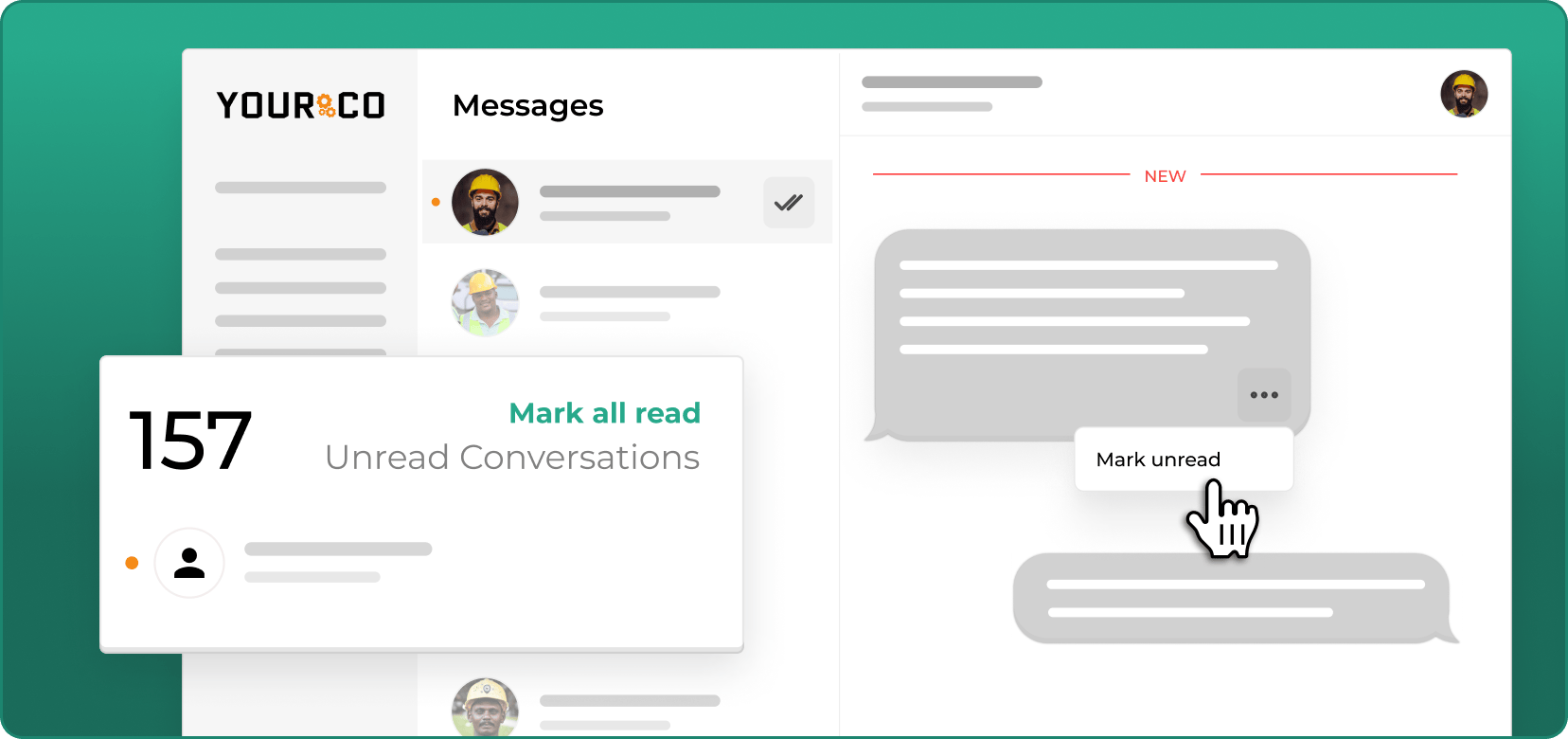
How should shift schedules and automated replies adjust the clock?
Standard service level agreement (SLA) tools default to nine-to-five business hours, which produces meaningless data in a 24/7 plant or distribution center. Configure business hours per shift, keep separate weekday and weekend policies, and document whether the clock pauses during handover. Calculate every window against the worker's next scheduled shift, not the absolute send time.
Exclude auto-replies and delivery confirmations from response metrics and report them separately as delivery health, since a system acknowledgment is not a human answer. Report each channel separately, too, because averaging text, email, and app notifications into one figure hides which channel reaches which group of workers.
How should you segment response data by team, location, and message type?
Break the data down by department, shift, site, message type, and tenure. Company-level averages hide the site where nothing is landing and the shift where every message waits until morning.
Match the metric to the message: acknowledgment rate for policy acknowledgments and safety notices, completion rate for surveys and training, reply rate for urgent broadcasts and announcements. Assign open items to roles rather than named individuals so ownership transfers at shift handover instead of disappearing between rotations, and set an alert before the window expires rather than reviewing breaches after the damage.
How do you keep a message from stalling past its window?
Set an alert before the window closes rather than reviewing breaches afterward. A workable sequence runs in four steps:
- A reminder to the owner 30 minutes before the response window expires.
- A second reminder a day before a longer resolution deadline, for policy items.
- An alert to the owner's manager when a window closes unanswered.
- Assignment to a role rather than a person, so a shift change never orphans an item.
The last step carries the most weight. An item assigned to a supervisor who has gone home is functionally unowned, and a transfer is not complete until someone on the incoming shift claims it.
When Does a Missing Response Signal a Staffing Shortage?
A missing reply is both a response-time data point and a coverage risk. An unanswered shift confirmation two hours before the shift is the earliest available signal that a worker may not appear, which is why response data and availability data belong on one dashboard rather than in two separate reports. AI analytics layers such as Yourco's Frontline Intelligence keep response patterns, call-off activity, and shift confirmations in one view, so repeated silence at one site shows up before it becomes an uncovered shift.
What's the Best Way to Track Employee Availability Across Different Shifts?
Collect availability over a channel every worker already carries, then verify it per shift with a confirmation request. A published schedule records what managers intended; only a reply verifies who will be there.
How do you collect availability from workers who won't log into a portal?
Ask by text and accept a text back. Frontline workers rarely log into a scheduling portal, so availability collected only through a portal represents the minority who use it. A short recurring request, sent every two weeks or before each schedule is built, gathers the same information: which days a worker can take, which they cannot, and any standing restriction such as a school run or a second job.
Keep the ask small enough to answer while walking to a truck. One question per message, numbered reply options, and a record of the answer against the employee ID gives schedulers usable data without a login.
A workable ask reads: "Availability for the week of 8 Sept. Reply with the numbers you can work: 1 Mon, 2 Tue, 3 Wed, 4 Thu, 5 Fri. Reply NONE if you cannot work any." Numbered replies parse cleanly, survive translation, and take a worker ten seconds at a gate.
Two cases need a rule agreed in advance. Partial availability, where a worker can take a late start or half a shift, deserves its own reply option rather than a forced yes or no, since a half-shift answer is still coverage. Non-response needs a stated default: treat silence as unavailable and say so inside the ask, so nobody gets scheduled on an assumption. Record every answer against the employee ID with its timestamp.
When should pre-shift confirmation texts go out, and what do they ask?
Send confirmation requests far enough ahead of the shift to fix a problem, typically the evening before or several hours out for early starts. Ask the worker to confirm the shift time, role, and location, and record each reply as confirmed, declined, or unconfirmed.
Confirmed workers need nothing further. A decline opens the shift immediately, and unconfirmed workers get direct contact before the deadline. When a hole appears, broadcast the open shift to qualified workers rather than calling the roster one name at a time.
How do you compare confirmed headcount against the staffing floor?
Compare confirmed headcount against the staffing floor for each role at the confirmation deadline. Confirmed availability below that floor signals action, and waiting until the deadline leaves options that disappear by clock-in, when the only levers left are overtime, agency cover, or running short.
How does this differ from ordinary scheduling software?
Scheduling software records who managers planned to work. Availability tracking verifies who will cover a named shift, with each confirmation tied to that shift and silence treated as a risk rather than a yes.
How do you keep availability current across rotating shifts?
Availability decays, so re-ask on the schedule cycle rather than storing an onboarding answer. Store each site's time zone, each worker's time zone, and the local start time of every shift, so recurring confirmations recalculate correctly for overnight and rotating shift patterns. Tie each confirmation to the worker's next shift in local time, hold one consistent operational day across reports even when a shift crosses midnight, and keep local time rather than universal time through daylight saving changes.
How do you spot crew who consistently go dark?
Rank workers by unconfirmed shifts over a rolling period rather than reacting to a single silence. A worker who has missed six confirmations in eight weeks is a different case from one who missed last Tuesday, and the pattern usually appears before the no-show does.
Treat the pattern as a conversation trigger, not a discipline trigger. Check whether the number on file is current, whether the worker changed language preferences, and whether messages arrive outside their waking hours, since all three can create silence that looks like disengagement. According to the same Yourco-commissioned survey of 150 HR leaders, 85% say improved communication would reduce absenteeism, and unconfirmed shifts are where that improvement is measurable.
Set the threshold before running the report, so the review stays consistent rather than reactive. Three unconfirmed shifts in a rolling month is a reasonable starting point for a check-in, and the order of steps matters more than the exact number: verify the contact record first, then the language setting and the send time, then have a supervisor ask the worker directly what is getting in the way. Only when those three come up clean does the pattern belong in an attendance conversation, because discipline applied to a wrong phone number costs trust across the whole crew.

What Does a Confirmation Cycle Look Like at One Site?
A confirmation cycle runs from a request sent the evening before to a deadline several hours ahead of the shift, with open slots broadcast and filled in between. A second shift at a distribution center makes the sequence concrete: 60 pickers needed, a 15:00 start, and an 11:00 confirmation deadline.
At 18:00 the evening before, the system texts all 62 scheduled workers a request naming the shift time and the dock. By 09:00, 48 have confirmed, 3 have declined, and 11 have not replied, so the supervisor has two hours and a specific list, not a general worry.
By 10:00, direct calls to those 11 produce 7 confirmations, 2 declines, and 2 still silent. Confirmed coverage stands at 55 against a floor of 60, so at 10:15 the five open slots go out to qualified workers on the standby list, filled by the first five acceptances.
At 11:00, the deadline closes with 60 confirmed. The record shows who was asked, who answered, when, and where the coverage came from, which is what a payroll question or an attendance review needs three weeks later. Sites running 24-hour coverage schedules repeat the cycle per shift, each deadline set against its own local start.
How Do Availability-Tracking Approaches Compare?
Three approaches dominate availability tracking, and they differ mainly in who logs in and whether the answer stays current.
Most operations end up combining the second and third: the scheduling system holds the roster while text collects and verifies who is actually available. That pairing also fits multi-location scheduling, where each site needs its own confirmation deadline.
Track Every Response and Every Shift With Yourco
Response speed and shift coverage both come down to getting a timestamped reply from a worker without a company inbox. Yourco is an SMS-based employee communication platform built for that. Core capabilities include:
- SMS to any phone, including basic flip phones, with no app download, no Wi-Fi, and no data plan required
- Two-way messaging so workers confirm shifts, report absences, acknowledge policies, and answer availability questions by text
- AI-powered translation across 135+ languages and dialects, in each worker's preferred language
- Segmentation by location, role, or shift, plus scheduled sends and SMS polls for recurring availability requests
Yourco connects to 240+ HRIS and payroll systems, keeping rosters, phone numbers, shift assignments, and language preferences current without manual list maintenance.
Enterprise Bridge gives corporate leadership a one-way channel for company-wide announcements and policy updates, while site managers keep two-way conversations with their own crews.
Frontline Intelligence gives operations and HR teams centralized visibility into response and confirmation activity across all locations. Leaders can compare which sites and shifts reply fastest, review call-off and shift-confirmation activity by site, and see where response patterns are slipping before a shift goes uncovered.
"Getting a lot more response from employees than we have in the past, and it's so easy to just send out a quick text company-wide or to a specific group."
— Maddy Kristjanson, Human Resources Generalist, Plymouth
After 90 days on Yourco, companies see two-way employee engagement reach 86%.
Try Yourco for free today or schedule a demo and see the difference the right workplace communication solution can make in your company.
Frequently Asked Questions About Response Times and Shift Availability
What is First Response Time for employee messages?
First Response Time measures the interval between an inbound message and the first meaningful human reply. For shift-based workforces, measure it against the worker's scheduled hours so off-shift time does not distort the number, and report the median rather than the mean.
Should automated replies count toward response time metrics?
No, exclude auto-replies and delivery confirmations from response-time figures and track them separately as delivery health, because a system acknowledgment is not a human answer. Review that delivery report alongside failed sends and invalid numbers so a reachability problem never gets mistaken for a slow supervisor.
What's the best way to track employee availability across different shifts?
Text every scheduled worker before the shift, record each reply as confirmed, declined, or unconfirmed, and compare confirmed headcount against required staffing before the shift starts. SMS-based platforms like Yourco collect those replies on any phone, so availability never depends on a portal login.
How is availability tracking different from response time tracking?
Response time measures how fast one message gets answered, while availability measures whether a named worker will cover a named shift. The same reply can serve both purposes, which is why the two measures belong on one dashboard rather than in separate reports owned by different teams.
How do I prevent messages from being lost during shift changes?
Assign open items to roles rather than individual names so ownership moves with the shift, then pair that with handover alerts and a rule that escalates anything left unclaimed. Nothing important should depend on one supervisor remembering to mention it during a busy shift change.
What is the difference between a read receipt and an acknowledgment?
A read receipt indicates a message was opened, while an acknowledgment is an active reply from the worker. An acknowledgment matters for safety notices and policy confirmations, since it records a decision the worker made rather than a screen event on a phone.
How should I set SLA response times for different message types?
Tie each window to what the message blocks. Anything touching physical safety, pay, or legal compliance needs acknowledgment within minutes, shift-blocking issues need a same-day answer, and informational updates can carry a day. The message-type table above gives a starting point for each.