TL;DR: You can track construction communication metrics through SMS delivery rates, response times, and two-way engagement volume, broken down by crew, site, and shift. Aim for 95%+ delivery on critical alerts and 15-30 minute response times on safety messages. SMS works where email fails, reaching any phone with 98% delivery rates, and slipping metrics often predict turnover and safety incidents weeks in advance.
Construction firms send hundreds of daily messages covering schedule changes, safety alerts, and toolbox talks, yet most have no way of knowing whether field crews receive, understand, or act on them. A "message sent" checkbox tells you nothing about what happens after you hit send.
Did the night crew see the safety update before their shift started? Did anyone on the concrete team read the schedule change? Without tracking the right metrics, these questions go unanswered until problems surface as missed deadlines, safety incidents, or frustrated workers who feel disconnected from leadership.
This guide shows you which metrics reveal true engagement, how to capture reliable data from workers who rarely open email, and what those numbers tell you about coordination, safety, and crew morale.
Understand Why Traditional Communication Tracking Falls Short in Construction
Communication tools built for office workers tell you almost nothing about crews spending their day on scaffolding or running heavy equipment. Email open rates and chat analytics assume people can easily check their screens, but most frontline workers have limited computer time on the job. If your metric starts with "email open," your construction teams have already disappeared from the data.
Physical job conditions create even bigger blind spots. Workers face noise, weather, gloves, and constant equipment operation, which make it nearly impossible to stop and engage in communication.
When someone misses an urgent message because they're operating a crane, traditional dashboards label this "no engagement," but the real problem is timing, not interest.
Language differences mess up the numbers even more. Standard tracking systems can't tell whether silence means someone ignored a message or never understood it in the first place. And office-hours messaging makes everything worse. Send an update at 3 p.m., and it hits inboxes after most crews have already left for the day. Night shifts might never see it at all.
Many sites still rely on word-of-mouth and paper notes because digital systems fail them so often, leaving zero digital trail until communication breakdowns cause real problems.
Identify the Core Communication Metrics That Matter for Construction Teams
Three numbers tell the real story for construction crews: how many workers got each message, how fast they responded, and how often they speak up on their own.
Track Message Delivery and Reach
Delivery confirmation shows that your message landed on each device. Reach reveals what percentage of your target crew, shift, or site received it. SMS beats every other channel here, hitting 98% delivery rates even with a spotty signal because carrier networks work without Wi-Fi or apps.
Failed deliveries reveal deeper problems: old phone numbers, workers who left the project, or dead zones on remote sites. Break down reach data by location, trade, shift, and language to spot gaps. High-performing sites should routinely reach 95% or more on critical alerts, and anything under 80% signals coordination problems.
Measure Response Time and Acknowledgment Rates
Response time shows how long workers take to reply or acknowledge. Acknowledgment rate reveals what share of your audience responds. Industry data suggests SMS polls can achieve response rates around 40 - 50% while comparable email surveys may see rates around 15 - 25%.
Break these numbers down by urgency. Safety alerts need confirmations within 15-30 minutes during active shifts. Routine schedule changes can wait a couple of hours. Compare shifts to find timing blind spots since morning crews usually respond faster than night crews, getting messages during off-hours.
Monitor Engagement and Two-Way Communication
Track how often crews start conversations through questions, incident reports, or quick feedback. Participation rates on short polls reveal workforce sentiment without forcing long forms. Sites where workers speak up freely log more incident reports, more questions, and better ideas.
High engagement usually pairs with lower turnover and fewer injuries. Steady drops in participation often appear months before workers quit or problems surface. Watching two-way metrics alongside delivery and response gives you a complete view of crew connection.
Set Up Tracking Systems That Work for Field-Based Crews
You only get useful metrics when messages reach the people swinging the hammers. SMS gives you that reach. Texts land on any phone and post high open rates within minutes. Email sits unread, especially on sites with patchy Wi-Fi.
A field-ready platform can't require downloads, log-ins, or training classes. It has to track texts on flip phones as easily as smartphones. Group workers by site, crew, trade, shift, and preferred language so you can see exactly where messages fail and where response times lag.
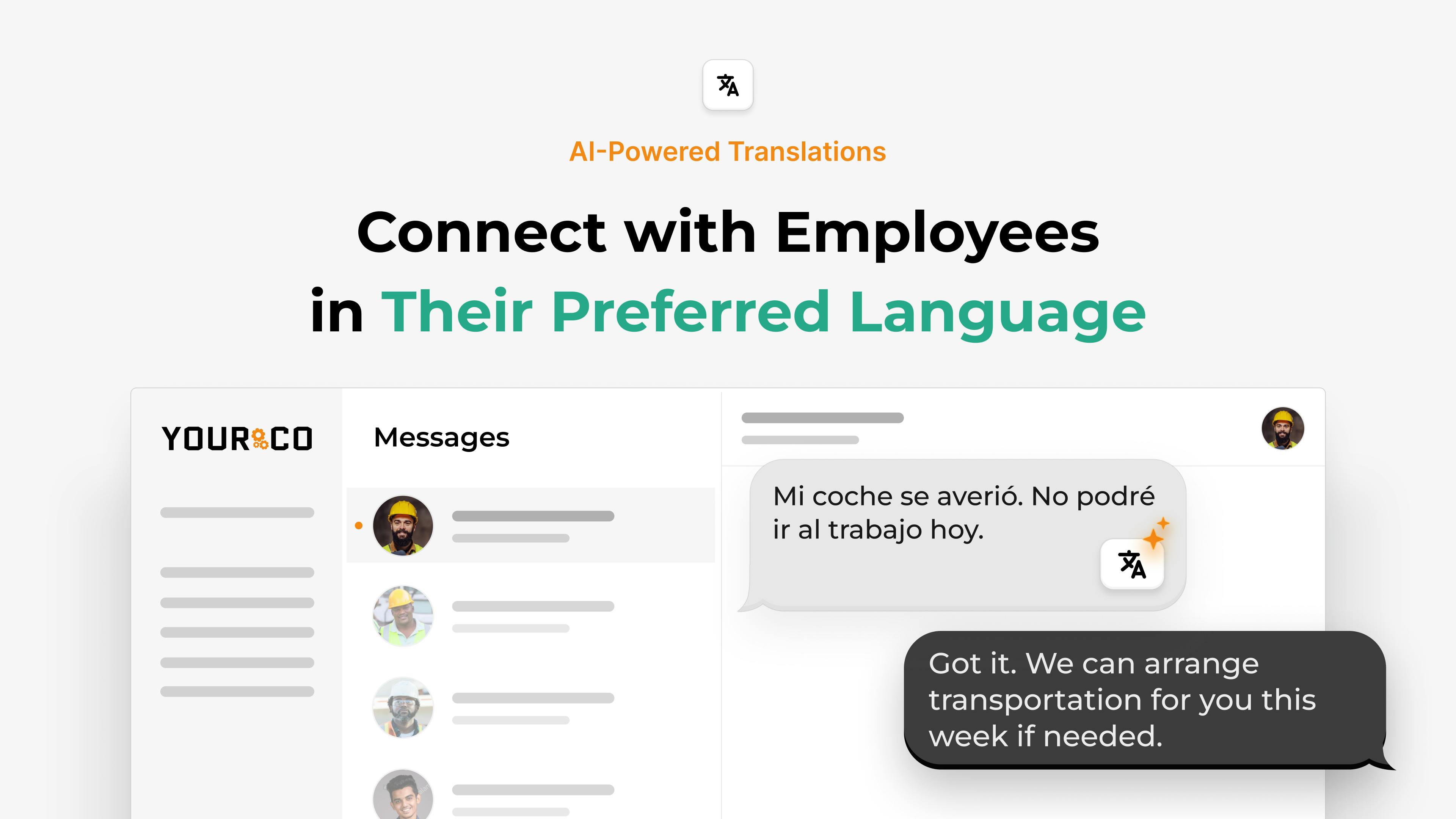
Language support matters more than you think. Tag every contact with a language preference and make sure critical alerts go out in words each worker understands. Connect communication data to your existing HR systems so you can spot correlations between dropping response times and rising turnover.
Before setting improvement targets, establish a baseline. Measure current delivery, acknowledgment, and participation rates for two to four weeks across all sites. This baseline shows what "normal" looks like for each crew. A site averaging 60% response rates won't jump to 90% overnight, but improving to 75% in two months is achievable.
Choose a platform that timestamps every send, reply, and survey submission automatically. Manual tracking breaks down once you manage more than a handful of crews. Automatic logging creates searchable records for compliance and documentation.
Key setup steps include the following:
- Collect accurate phone numbers during onboarding and verify them regularly
- Create groups for each site, shift, trade, and language preference
- Define standard message types with clear response expectations for each
- Set response time targets by urgency level
- Assign someone to review metrics weekly and act on gaps
Analyze Communication Patterns to Spot Crew Issues Early
Small shifts in communication data often signal problems weeks before they become visible. When you spot a trend early, you fix it before it costs time, wages, or safety.
If one crew consistently shows low responses, dig into the root cause. Were texts sent outside their shift hours? Is the content too complex? Does the team speak a different primary language? Low numbers usually reveal timing, channel, or clarity issues rather than worker disengagement.
Watch for sudden drops at normally high-performing sites. A new supervisor, scheduling conflicts, or simmering frustrations can push engagement down overnight. Pay close attention when several workers ask the same question, which means your original instructions lacked clarity.
Compare metrics across similar crews and sites. High performers often send texts just before shifts start, provide translations, and follow up in person.
Focus on trends over single data points. A dip lasting two to four weeks matters far more than an off afternoon. Pull a quick dashboard every Friday and flag any team falling below its four-week average.
Act on Metrics to Improve Crew Coordination and Engagement
Dashboard numbers mean nothing without action. Pick one weak spot, run a focused experiment for two to four weeks, and keep what works.
Address Low Response Rates
Check when messages go out compared to when crews are on the clock. If a team works 6 AM to 2 PM but gets texts at 3 PM, reschedule for 5:30 AM or during lunch breaks. When rates stay flat, check language settings. Link each phone number to a language preference and send auto-translations. This fixes what looks like apathy but is really confusion.
Talk to site supervisors who spot issues like dead zones or unclear message priorities. Trim your texts, too. A direct line like "Reply YES after you read the safety alert" beats a paragraph every time.
Strengthen Safety Communication
Every worker should acknowledge critical safety texts before starting high-risk tasks. Response logs prove compliance and catch weak spots early. Compare sites weekly. Those with steady, fast acknowledgments often record fewer incidents.
When a location shows low incident reports and low acknowledgment rates, treat that as a warning since workers may be staying silent, not staying safer.
Build Feedback Loops That Workers Use
If fewer than one in three workers answer surveys, the form is too long or shows no visible results. Swap quarterly marathons for three-question pulse checks at shift end. Share results in plain language and show workers their feedback leads to action. Additionally, track anonymous tips to catch simmering issues before they explode.
Compare Metrics Across Sites to Drive Consistent Standards
When projects run in different cities, communication gaps can hide until a deadline slips. A shared set of metrics gives you an instant snapshot of which sites need help. Pull all message data into one dashboard with side-by-side views of delivery confirmation and response speed.
Set clear thresholds: delivery below 90 percent triggers a phone-number audit, response rates under 70 percent cue a timing or language review, and engagement falling 20 percent below a site's four-week average starts a supervisor check-in.
When a location hits 95 percent delivery and strong two-way communication, dig into what they do differently. Often, it comes down to simple practices like texting schedule updates at shift start or sending messages in multiple languages. These tweaks can be copied elsewhere to boost employee engagement across your portfolio.
Turn Communication Data Into Frontline Intelligence With Yourco
Your crews generate communication data all day long, but most of it disappears after each conversation or gets scattered across different phones and systems. Yourco fixes this by capturing every interaction in real time and organizing it into clear insights.
Since Yourco runs on plain SMS, it reaches every worker, even those with flip phones or working in remote areas. Every message gets automatically time-stamped when delivered and when workers respond, creating a complete audit trail for compliance reviews.
Built-in analytics show response times by crew, engagement patterns across sites, and warning signs like teams that suddenly stop responding. Yourco translates messages into over 135 languages and dialects instantly, so you can track real comprehension, not just delivery.
Yourco's AI-Powered Frontline Intelligence turns daily communication into actionable insights. Leaders can ask questions like "Which locations have the lowest response rates to safety messages?" or "Where are we seeing drops in engagement?" and get answers based on real frontline data. Everything rolls up to one dashboard where you can quickly check which locations hit target response times and which need attention.
Try Yourco for free today or schedule a demo and see the difference the right workplace communication solution can make in your company.
Frequently Asked Questions
What communication metrics matter most for construction companies?
Focus on response time for urgent messages, acknowledgment rates on safety updates, and two-way communication volume, like questions or survey replies. Break down these numbers by crew, site, and shift to spot specific gaps.
How do I track communication with workers who don't use email or apps?
Text messages reach every phone without apps or data plans, then automatically log delivery and response times. SMS enjoys much higher open rates than email, so your metrics cover the entire workforce.
Pair that reach with dashboards that timestamp each reply to see who received alerts and how fast they answered.
What response time should construction crews aim for?
Crews should acknowledge critical safety texts within 15-30 minutes during active shifts. Routine schedule changes can allow a two-to-four-hour window, while non-urgent notices can be same-day. Start with your current average, then improve by 10-15 percent over the next two months.
Can communication metrics predict turnover or safety issues?
Yes. When response rates and two-way engagement tail off, employees often leave two to three months later. Sites with weak communication log more incidents because workers skip reporting hazards or misunderstand updates. Treat slipping metrics as an early-warning system.